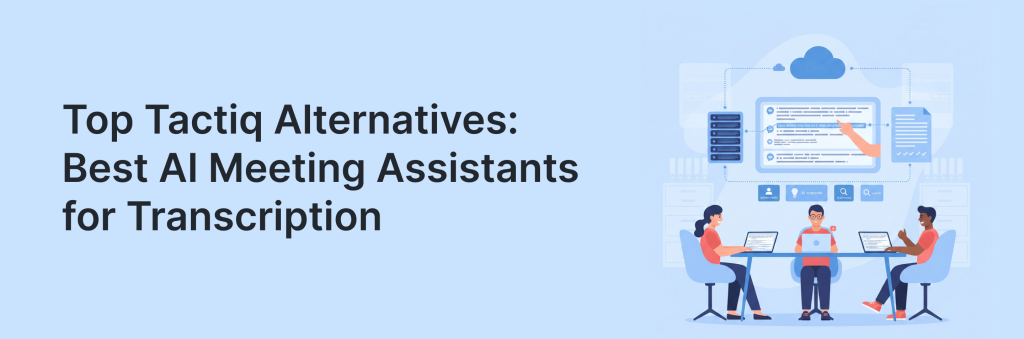
Meetings don’t just need transcripts – they need outcomes. The best AI meeting assistants in 2026 go beyond word-for-word transcription to produce clean summaries, extract action items, identify owners, and organize key decisions in a format your team can actually use. If Tactiq isn’t giving you the automation, accuracy, or workflow support you want, switching tools can make a noticeable difference in productivity. Maybe you want better speaker detection, more reliable transcripts in noisy calls, stronger support for Zoom/Teams/Meet, or smarter outputs like follow-up emails, task lists, and CRM updates. You might also need tighter security controls, more flexible exports, or collaboration features that work across departments.
In this article, we’ll explore top Tactiq alternatives built for transcription, summaries, and action items, comparing how they handle real-world meeting chaos. By the end, you’ll know which AI meeting assistant fits your workflow and helps your team move from “we talked about it” to “it’s done.”
TL;DR – Best Tactiq Alternatives
- FuseBase – Multi-meeting intelligence across an account, internal vs external split, task and tracker workflows, and a path to portals, databases, and AI agents when you are ready.
- MeetGeek.ai – Broad analytics and insights beyond a single meeting, plus solid automation for follow ups.
- tl;dv – Strong highlight clipping, knowledge hubs, and async handoffs for cross-functional teams.
- Fireflies.ai – Broad integrations, strong search, meeting topic tracking, and workflow automations across meetings.
- Supernormal – Quicker doc-quality outputs and templates for repeatable meetings, plus wider collaboration features.
- Read.ai – Richer meeting analytics, engagement scoring, and outcome metrics across multiple calls.
- Gong – Deep coaching, pipeline impact analytics, and advanced CI.
- Fathom – Strong highlights, timestamps, and team libraries with simple onboarding and good value.
What is Tactiq?
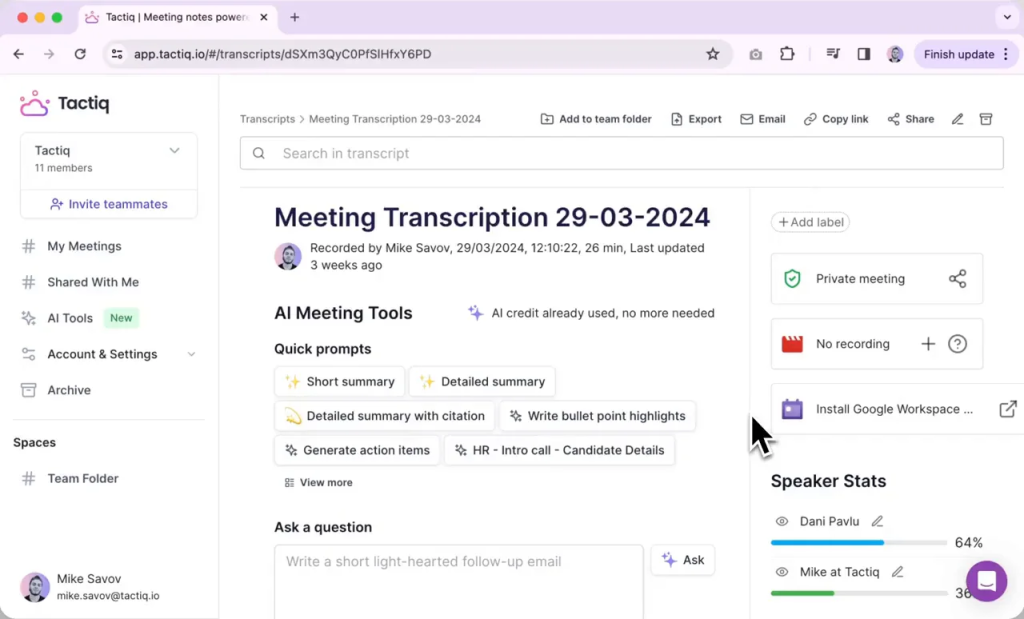
Tactiq is an AI meeting assistant that focuses on capturing live meeting transcripts and helping users turn conversations into structured notes. It’s often used to keep a written record of discussions, make meetings searchable, and reduce the need for manual note-taking. For many teams, it’s a convenient way to pull highlights from calls, share meeting takeaways, and keep everyone aligned – especially when not everyone can attend live.
Typically, Tactiq fits neatly into day-to-day workflows by making it easier to review what happened, copy key quotes, and document decisions without rewriting everything from scratch. It can be useful for sales calls, internal standups, user interviews, and client meetings where accuracy and speed matter. However, if you want deeper automation – like consistently strong summaries, clear action items with owners, or better multi-speaker handling – there are several Tactiq alternatives that may fit better. Choosing the right one depends on what you value most: transcription accuracy, integrations, collaboration, security, or advanced AI outputs.
Tactiq Limitations
Multi-speaker chaos is tough
Fast-paced discussions with interruptions, cross-talk, or people talking over one another can reduce transcript readability. That can have a domino effect: messy transcripts usually lead to weaker summaries and less accurate action items. For teams running brainstorming sessions, standups with lots of voices, or heated stakeholder calls, this is often where more advanced assistants pull ahead.
Action items aren’t always reliable
Tactiq can identify potential tasks, but action items often need a quick human check before they’re ready to share or assign. In real meetings, people speak in half-finished thoughts (“let’s circle back later”) or agree on next steps without naming an owner. That can lead to vague tasks that require manual cleanup to add accountability, deadlines, and clearer wording.
Summaries can feel inconsistent
When the conversation is structured, summaries can be helpful. But in more free-flowing meetings, the output may miss key context or skip decisions that were implied rather than stated directly. Audio quality, unclear agendas, and topic switching can all affect what gets emphasized. If you rely on summaries to send updates to stakeholders, you may find yourself editing them more often than you’d like.
Speaker labeling may need work
Speaker attribution is critical when you’re trying to trace decisions, commitments, and responsibilities. If voices sound similar, participants jump in quickly, or microphones vary in quality, speaker labeling can become inconsistent. Even small errors can create confusion – especially if you’re sharing notes broadly or using them to document commitments.
Limited workflow automation
Tactiq is useful for capturing notes, but it may not fully automate what happens next. Many teams want meetings to instantly create tasks in tools like Asana/Jira, update deal notes in a CRM, or generate structured templates (weekly updates, project recaps, client summaries). If your goal is “from meeting to tasks + updates with minimal effort,” you may prefer alternatives built with deeper automation in mind.
Team-level controls can be basic
For growing teams and larger organizations, admin features matter: permissions, workspace management, retention settings, and compliance controls. If you need tighter governance – like standardized templates, role-based access, or centralized oversight – Tactiq may feel more individual-focused than enterprise-ready compared to some top Tactiq alternatives.
Top 8 Tactiq Alternatives
1. FuseBase (best for client-facing recaps)
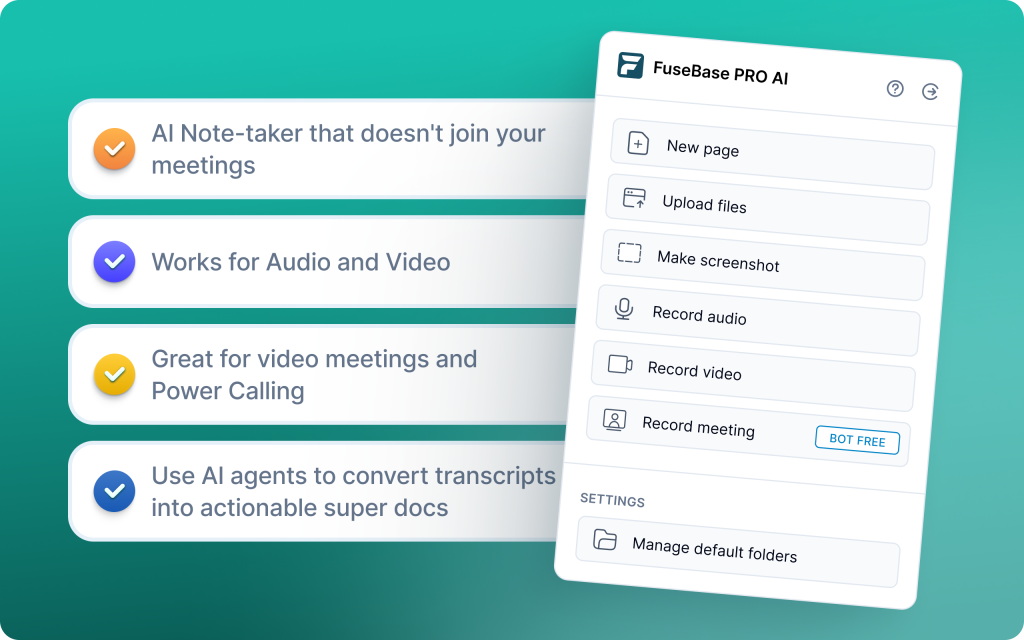
FuseBase upgrades transcription into delivery by turning every Zoom, Teams, or Meet call into a branded mini-room with recap, files, and next steps. It functions as a Client Delivery Platform, automatically splitting outputs into a safe-to-share client portal and a private internal workspace. AI agents watch calls for risks, opportunities, and follow-ups, then convert findings into tasks and trackers across your tools. Trackers highlight real revenue signals like scope creep, missing next steps, or renewal risk at the account and project level. The result is faster, cleaner handoffs and less administrative glue work between meetings and PM systems.
Key features
- Bot-free recording and notes across Zoom, Teams, and Meet
- Per-meeting branded mini-rooms for client-ready recaps and assets
- Automatic internal vs external separation to protect coaching notes
- Trackers for real business signals like scope creep, budget, and renewal risk
- AI agents that auto-create tasks, populate trackers, and trigger follow-ups in your stack
- Cross-meeting dashboards that roll up risks, next steps, and trends by account or project
2. MeetGeek.ai (best for advanced analytics)
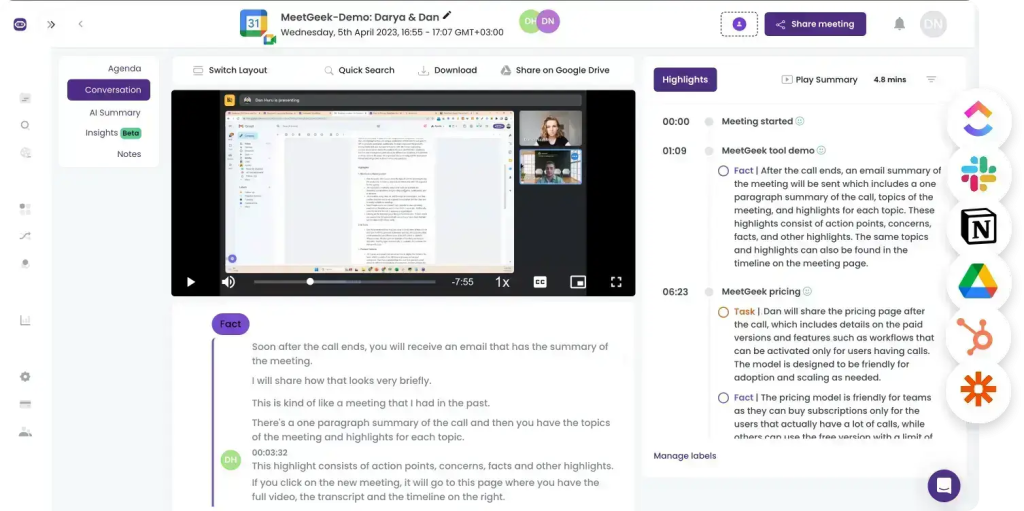
MeetGeek focuses on accurate transcription and detailed AI summaries, then layers advanced analytics to show engagement, talk ratios, and trends across your meetings. It fits neatly into existing workflows with broad integrations, so follow-ups and documentation happen with minimal friction. A shared, searchable library centralizes past calls for team-wide access and coaching. Templates help standardize discovery, onboarding, and recurring meetings for consistent outcomes.
Key features
- Advanced conversation intelligence with engagement metrics and speaker distribution
- Thorough AI summaries with clearly extracted action items and key points
- Searchable team library for clips, highlights, and past meetings
- Deep integrations (Slack, HubSpot, Google Drive, Zapier) to automate follow-ups
- Customizable meeting templates to standardize repeatable workflows
3. tl;dv (best for async research highlights)
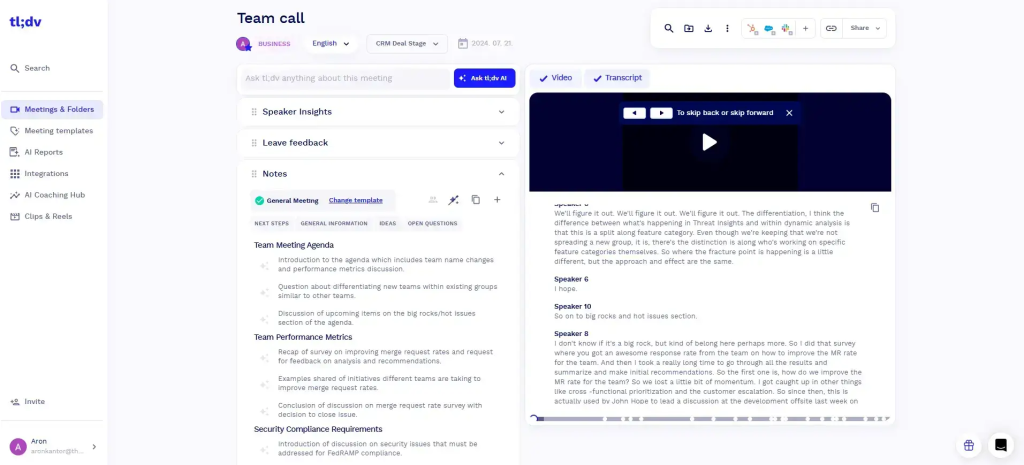
tl;dv is a lightweight, researcher-friendly recorder that captures calls, generates transcripts, and makes highlight tagging and clip sharing effortless. Built for async, remote workflows, it helps teams running user interviews, product research, and workshops keep everyone aligned without meeting replays. It supports multi-language transcription and pushes insights to your existing tools for fast distribution. While it is not sales-specific or deep on analytics, it excels at speed, clarity, and team-wide knowledge sharing.
Key features
- Multi-language transcription with clean, searchable transcripts
- Highlight tagging and shareable clips for instant context
- AI highlights that surface key takeaways and to-dos automatically
- Plug-and-play integrations with Slack, Notion, CRMs, plus Zapier for thousands of apps
- Unlimited recordings and transcripts on the free plan, with simple setup and minimal training
4. Fireflies.ai (best for budget-friendly transcription)
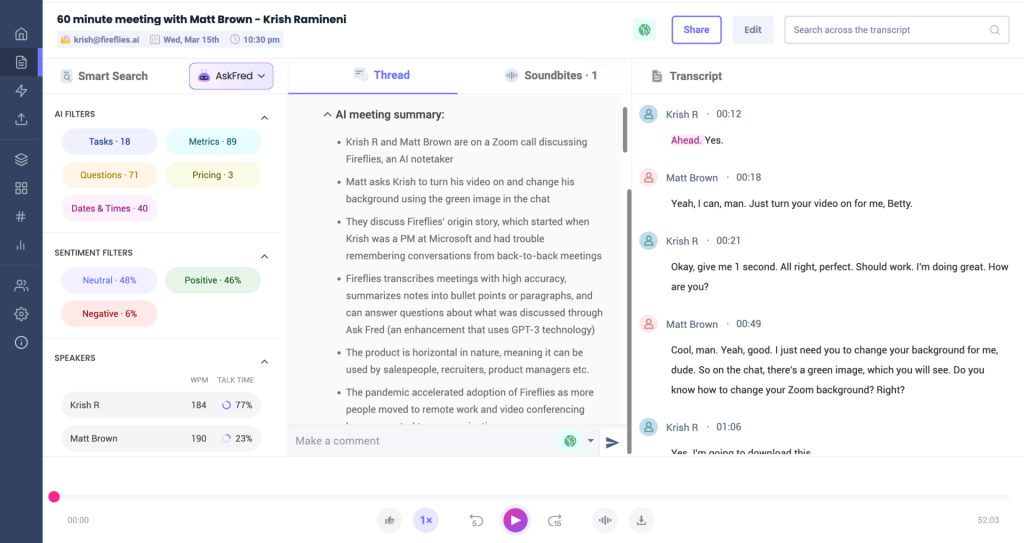
Fireflies is a simple, affordable AI notetaker that records and transcribes meetings across platforms, then turns them into GPT-4 powered summaries with highlights and action items. It’s quick to roll out, logs key points to CRMs, and gives teams a searchable history for easy reference. Tagging, comments, and smart filters help you surface topics, metrics, or speakers fast for async collaboration. While it lacks advanced coaching or forecasting, it’s a solid entry point for teams that want quick documentation and minimal setup.
Key features
- Cross-platform capture with wide integrations (Zoom, Slack, Notion, CRMs)
- AI “super summaries” with next steps, action items, and topic-wise notes
- Smart search filters to find questions, metrics, dates, and keywords across calls
- AskFred chatbot to query meetings, draft agendas, and follow-up emails
- Team workspace with comments, tagging, and CRM logging for better handoffs
5. Supernormal (best for quick post-meeting documentation)
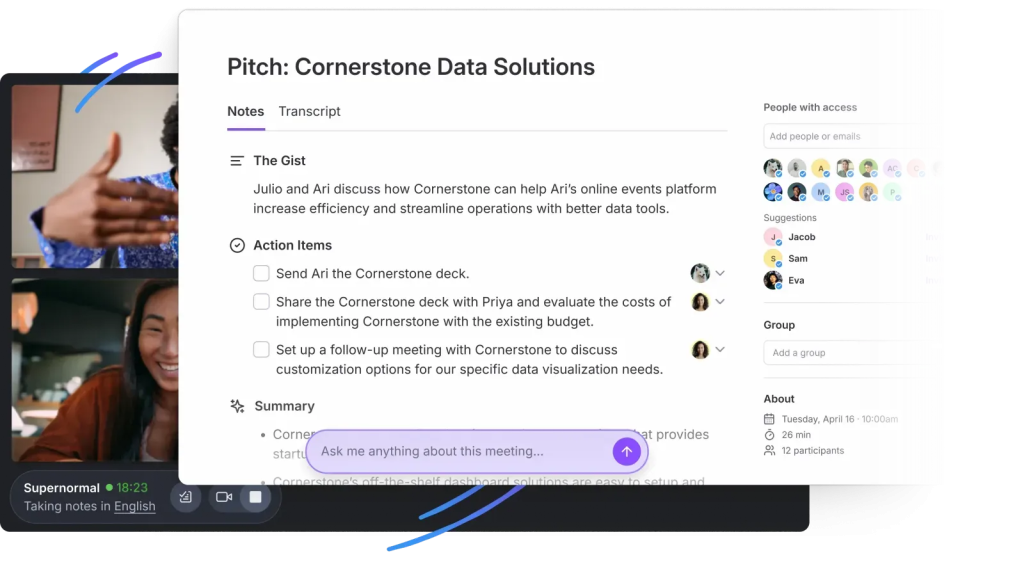
Supernormal focuses on clean AI meeting summaries without putting a visible bot in your calls, using extensions and native integrations to capture Zoom, Google Meet, and Microsoft Teams. It organizes notes into structured sections with decisions and action items, then syncs tasks to tools like Asana, ClickUp, Linear, and Trello. Ask Norma lets you query past meetings or draft follow-ups from the conversation context. For teams that want fast, private-feeling documentation, it minimizes friction while keeping everything searchable in one place.
Key features
- Botless capture via browser extensions and direct meeting integrations
- Structured AI summaries with decisions, next steps, and ownership
- Task syncing to Asana, ClickUp, Linear, and Trello
- Ask Norma for meeting Q&A and follow-up drafting
- Custom templates and a unified, searchable notes dashboard
6. Read.ai (best for in-meeting analytics)
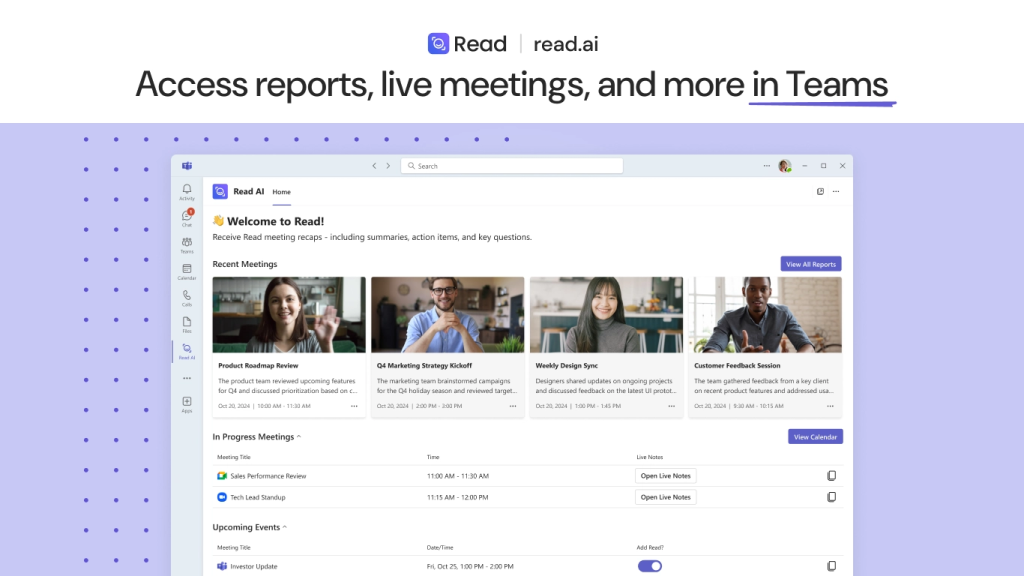
Read.ai records meetings on Zoom, Teams, and Google Meet, delivering real-time transcripts with instant summaries plus engagement and sentiment signals. Its Speaker Coach gives actionable feedback on talk time, clarity, and pacing so presenters can adjust in the moment. Search Copilot pulls answers across meeting transcripts, Slack, Teams, Gmail, and Outlook to speed decisions without manual digging. Post-call, playback with AI-marked highlights makes it easy to review key moments and share context quickly.
Key features
- Real-time transcripts and instant meeting summaries
- AI Speaker Coach with talk-time, clarity, and pacing feedback
- In-meeting metrics for engagement and sentiment
- Playback and highlight reels for fast post-call review
- Cross-app Search Copilot across transcripts, Slack, Teams, Gmail, and Outlook
7. Gong (best for deal intelligence)
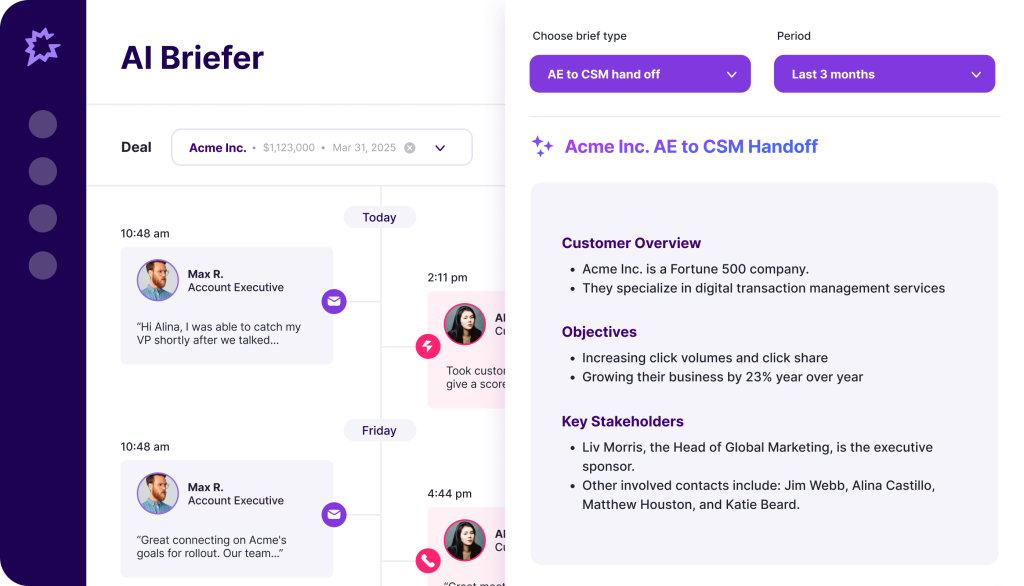
Gong is a revenue intelligence platform that turns customer interactions into actionable insights for sales performance, coaching, and forecast accuracy. It records and analyzes calls, emails, and meetings, surfacing deal risks, competitive moments, and talk-track patterns so leaders can intervene earlier. Pipeline views and AI-assisted forecasting help teams prioritize the right deals and standardize operating cadences. If you need more than a transcript and want measurable impact on win rates and predictability, Gong is purpose-built for that job.
Key features
- Conversation intelligence that flags risks, objections, competitors, and key moments
- Deal intelligence with health scores, next-step gaps, and multi-meeting context
- Pipeline management and AI forecasting with rollups for leadership reviews
- Coaching tools and scorecards aligned to frameworks like MEDDIC or SPICED
- Native integrations with Salesforce, HubSpot, Dynamics 365, Zoom, and Google Meet
8. Fathom (best for highlights & follow-ups)
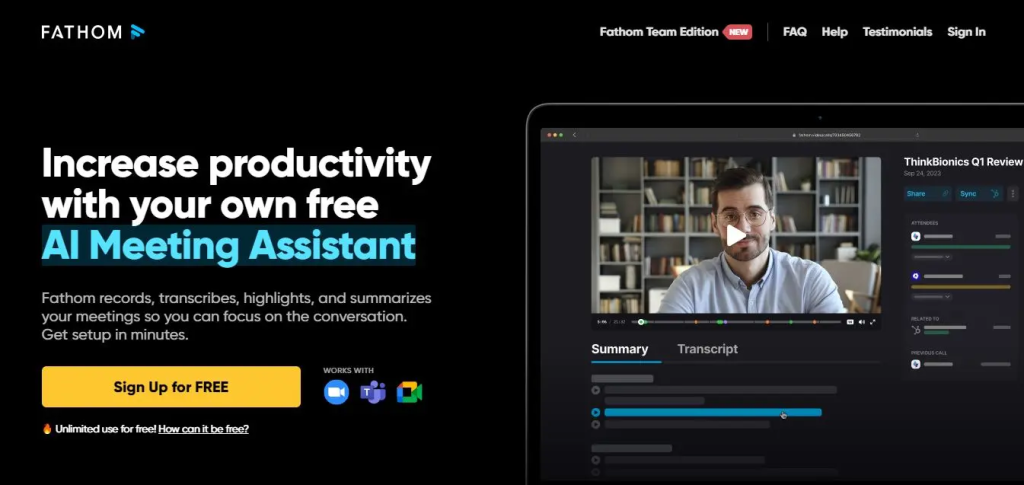
Fathom captures, transcribes, and summarizes Zoom, Google Meet, and Teams calls, then pushes AI-generated insights straight into Salesforce, HubSpot, or Close so you skip manual logging. Right after the call, you get clear summaries with key points, timestamps, and one-click highlights, making follow-ups fast and repeatable. It can draft follow-up emails and task reminders, helping reps act without tab-hopping. With 25+ languages and lightweight setup, it’s built for sales, CS, and startups that want speed over complexity.
Key features
- Instant AI summaries with timestamps, action items, and key points
- Native CRM sync (Salesforce, HubSpot, Close) for zero double entry
- One-click highlights and shareable clips for quick team updates
- Follow-up drafting and task reminders based on conversation context
- Multi-platform support (Zoom, Meet, Teams) with 25+ language coverage
Conclusion
If your goal is to get more than a transcript – and consistently walk away from meetings with clear summaries, decisions, and action items – then choosing the right AI meeting assistant matters. The best Tactiq alternatives don’t just record what was said; they reduce follow-up work by turning conversations into structured outputs your team can share, search, and act on immediately.
Among the options covered, FuseBase stands out as the best solution because it goes beyond meeting notes and helps you centralize everything that happens after the call. Instead of scattering recaps across docs, chats, and task tools, FuseBase gives teams a cleaner workflow for organizing meeting takeaways, collaborating on next steps, and keeping clients or stakeholders aligned in one place. If you want a single system that turns meetings into outcomes – not just transcripts – FuseBase is the strongest choice to replace Tactiq in 2026.