
Trying to run a modern partner program through email, shared folders, and spreadsheets only works until you add a few more partners – then everything breaks. Assets go missing, deal updates get lost, and nobody has a clear view of the pipeline.
The top partner portals solve this by centralizing deal registration, co-marketing campaigns, enablement content, and performance analytics in one secure space for you and your partners. In this guide, we’ll compare the top partner portals in 2025 side by side, covering key features, real-world use cases, and pricing so you can find the right fit for your partner strategy and budget.
30-Second Summary – Best Partner Portals
- FuseBase – Unified client + partner hub, no coding required
- SuiteDash – All-in-one SMB-focused solution
- Confluence – Structured knowledge management for partners
- Zendesk – Strong support and ticketing capabilities
- AhSuite – Flexible workflow management
- Clientary (Ronin) – Simple SMB partner onboarding
What is the Partner Portal?
A modern partner portal is a centralized, data-driven platform that powers your entire partner ecosystem. It combines content management, workflow automation, and analytics to give both your team and your partners a clear view of opportunities, performance, and next steps. In 2025, leading partner portals go beyond basic document sharing. They:
- Support role-based experiences for different partner types
- Integrate with CRM and marketing tools
- Automate routine tasks like deal approvals
- Surface insights on which partners and programs are actually driving revenue.
In short, the partner portal is the operational backbone of a scalable partner program.
Key Features to Look for in Partner Portals
Before you compare platforms, it helps to know what actually matters in a modern partner portal in 2025. The goal isn’t just “one more login” – it’s a system that makes partner work faster, clearer, and easier to scale.
Branded, Role-Based Workspaces
Your partner portal should feel like your environment, not a generic SaaS dashboard. That means the ability to use your own domain, logo, colors, and layouts so partners feel like they’re logging into your ecosystem. Just as important is role-based access: distributors, resellers, tech partners, and internal teams should each see a tailored view that reflects their responsibilities, region, or tier. The most effective portals also let you spin up dedicated workspaces for key partners or programs without rebuilding everything from scratch.
Content & Enablement Hub
A strong portal doubles as a content and training hub. Partners should be able to find current sales decks, one-pagers, pricing sheets, legal documents, implementation guides, and brand assets without pinging your team. The best systems organize this library with search, tags, versions, and clear categories, so there’s never a question about which file is the latest. Many include training paths and certifications, guiding partners through onboarding, product updates, and specialization tracks. When the portal works as a true enablement center, partners rely on it for answers first and only come to your team for higher-level support.
Automation & AI Assistance
Automation and AI are moving from “nice extras” to essential building blocks. Strong partner portals now automate repetitive work such as onboarding sequences, reminders for stalled deals, renewal alerts, and internal notifications when partners complete key actions. AI can answer FAQ-style questions based on your documentation, summarize partner meetings, suggest next steps, or highlight unusual trends in portal activity. The goal is not to replace human relationships but to free partner managers from admin tasks so they can focus on strategy, coaching, and deal support. A portal that uses automation and AI well will feel responsive and proactive without constant manual effort from your team.
Unified Collaboration Space
Most chaos in partner collaboration comes from conversations scattered across email, chat, and random documents. A good portal brings everything together in one place. Chat, comments, files, and tasks should be attached to specific deals, accounts, or initiatives, so anyone looking at a record sees both the content and the history of the discussion. Partners shouldn’t have to guess whether to check their inbox, Slack, or a shared drive to find the latest update.
Analytics & Partner Performance Insights
You can’t improve what you can’t see. Look for partner portals that provide analytics that go beyond simple login counts. You should be able to see which partners are engaged, which assets are being used, which training paths are being completed, and how this activity correlates with pipeline and revenue. The best systems surface insights like which deals tend to stall at certain stages, which regions respond well to specific campaigns, and which partners are consistently high performers. Insightful analytics turn your partner program from “relationship management” into a measurable growth channel.
Security, Governance, and Scalability
A serious partner portal offers fine-grained permission controls, single sign-on options, audit logs, and clear data ownership policies. For many organizations, compliance and data residency requirements will also matter, especially when working across regions or regulated industries. Just as importantly, the portal must scale gracefully from a handful of partners to hundreds or thousands without becoming an administrative burden. That means clear structures for organizing content and access, reliable performance under load, and administration tools that help your team manage growth without losing control.
Top 6 Partner Portals in 2025
1. FuseBase
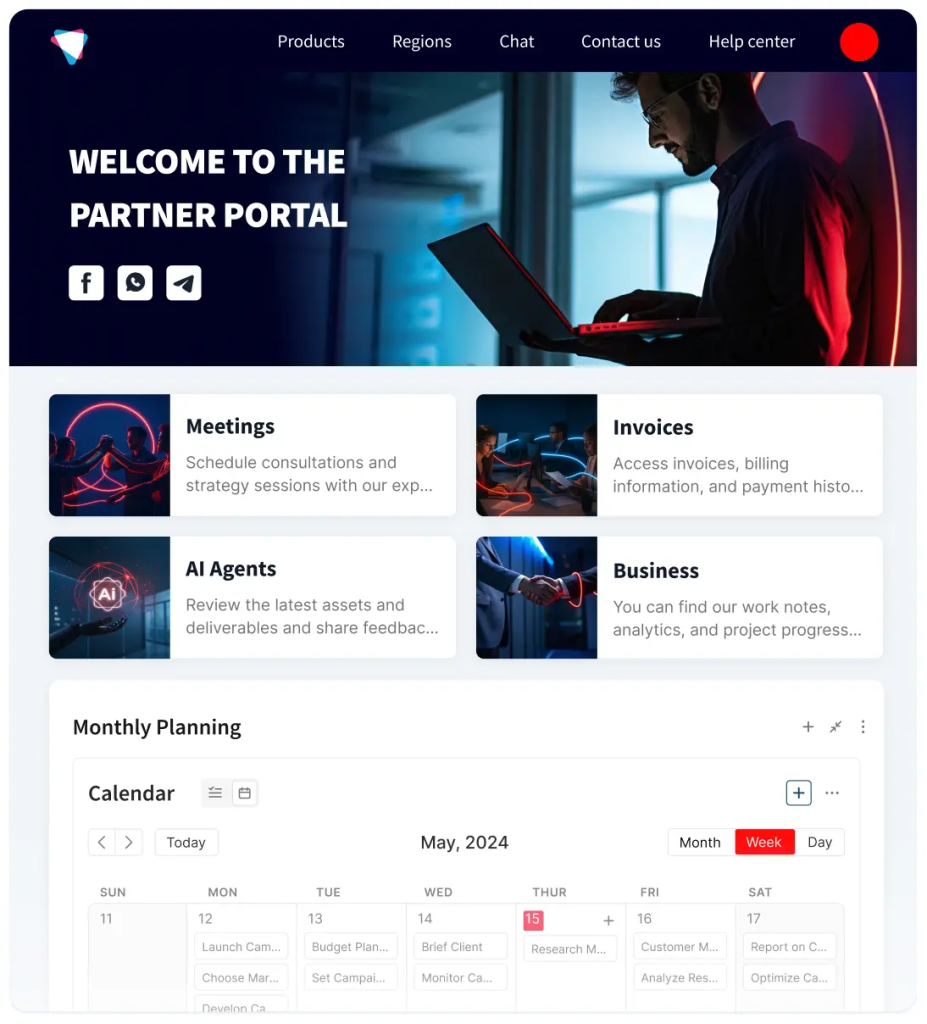
FuseBase is a white-labeled workspace that lets you build dedicated portals for partners, clients, and internal teams. It combines documents, dashboards, tasks, and embedded AI Agents in one place. Partners can access resources, ask questions, and move work forward without hopping between tools. It’s positioned specifically around secure portals for teams, clients, and partners, with automation to reduce busywork.
Top features
- Branded partner portals with custom domains, layouts, and CSS/HTML customization
- Embedded AI Agents for Q&A, summaries, and workflow automation across portals and docs
- Databases and dashboards you can expose to partners (e.g., pipeline, onboarding progress, assets)
- Granular permissions for internal members, external partners, and clients
- Built-in automations (notifications, task creation, follow-ups, tag-based flows, etc.)
Use cases
- Partner enablement hubs with playbooks, training, and shared deal rooms
- Co-selling and co-delivery spaces where both sides see tasks, files, and timelines
- White-labeled portals for agencies, consultancies, and B2B SaaS with many partners or resellers
- Multi-tenant setups where you need separate branded spaces per partner or region
Pricing
FuseBase offers a free plan with 1 portal and core workspace features, plus paid tiers starting around $32/month (Solo) with AI Agents, client/partner portals, automations, and transcription included; higher “Essentials” and above tiers add more usage and advanced options.
2. Zendesk
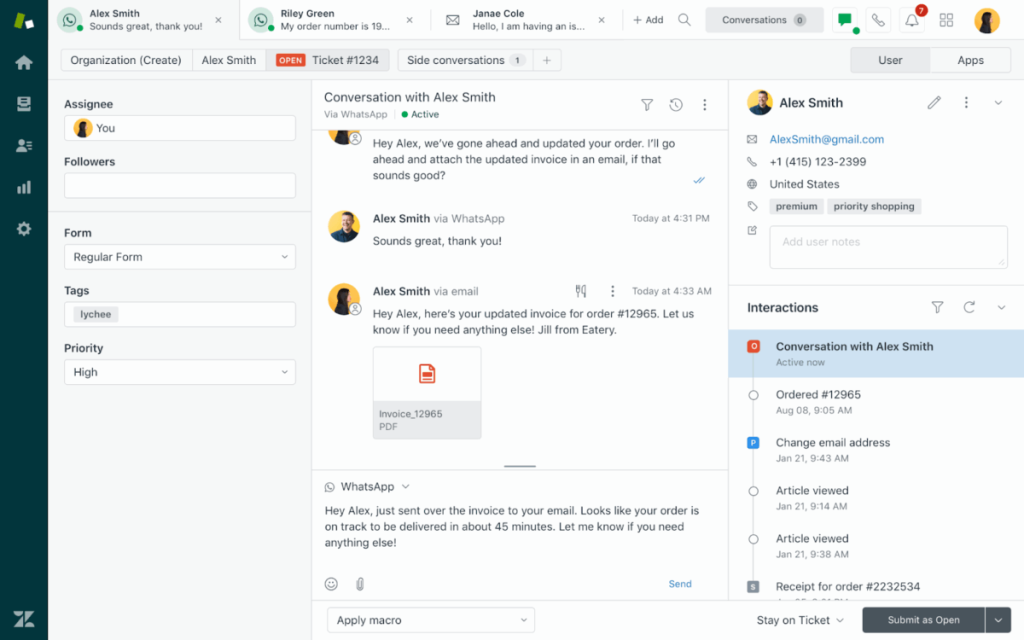
Zendesk is a support and service platform that doubles as a powerful portal for partners who need structured support and self-service access to knowledge. Through its help center and customer/partner portal capabilities, partners can log in to submit tickets, browse articles, and track requests, all backed by Zendesk’s omnichannel support and analytics.
Top features
- Help center and portal where partners can create, view, and track support requests
- Knowledge base with search, article management, and AI-assisted suggestions
- Ticketing across email, chat, social, and other channels, with workflows and SLAs
- Reporting and analytics dashboards for volumes, response times, and satisfaction
Use cases
- Enterprise partner programs where support and SLAs are central to the relationship
- Technical partner ecosystems that need a formal process for issues, escalations, and bug reports
- B2B teams that want partner and customer support unified in one tool
Pricing
Zendesk Support plans start around $19 per agent/month for the basic Support Team tier, with more advanced Support Professional and Enterprise tiers at higher per-agent rates. The broader Suite plans (combining support, messaging, and help center) typically start around $55 per agent/month, with multi-channel and advanced features included.
3. Notion
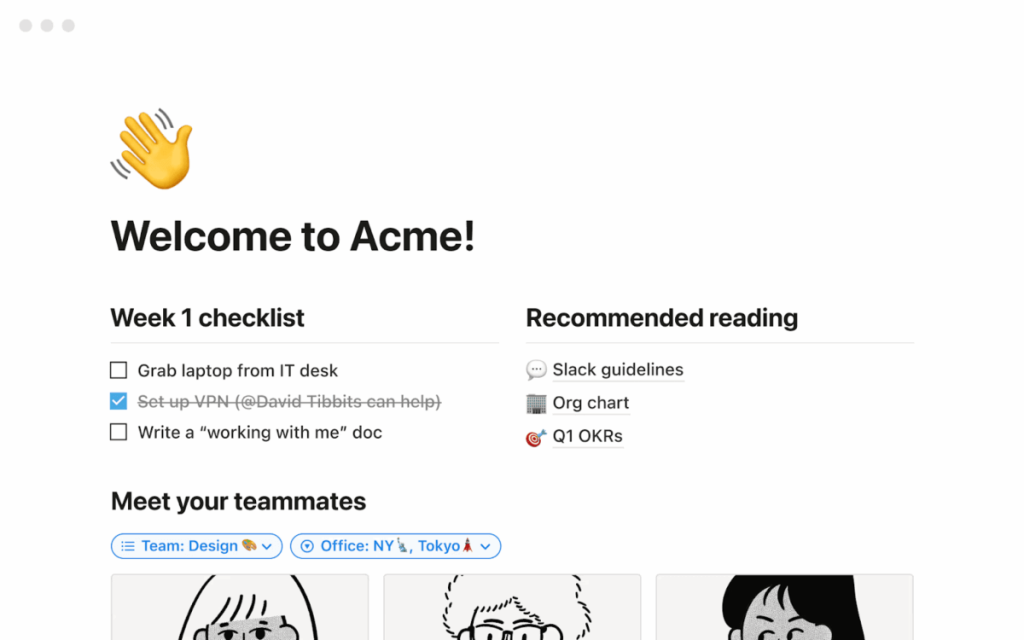
Notion is a flexible workspace for docs, wikis, and databases that many teams repurpose as lightweight partner portals. While it’s not a dedicated PRM tool, it works well as a partner knowledge hub where you can host guides, checklists, FAQs, and shared project spaces, then selectively share them with partners via guest access or shared workspaces.
Top features
- Rich pages and databases for building partner wikis, playbooks, and resource catalogs
- Multiple views (table, board, timeline, gallery) for tracking partner tasks or joint projects
- Inline comments and discussions on pages, plus simple permissions for guests
- Integrations and embeds for connecting external tools or dashboards
Use cases
- Lightweight partner enablement hubs for documentation, FAQs, and onboarding checklists
- Shared project spaces with partners for content collaboration, timelines, and notes
- Early-stage partner programs that need to move quickly and iterate on structure
Pricing
Notion offers a Free tier for individuals and very small teams, then paid tiers starting around $10/user/month (Plus) and $20/user/month (Business), with Enterprise pricing on request. Paid plans unlock unlimited blocks for teams, advanced permissions, and better collaboration controls, which are important if you’re using Notion as a partner-facing hub.
4. Confluence
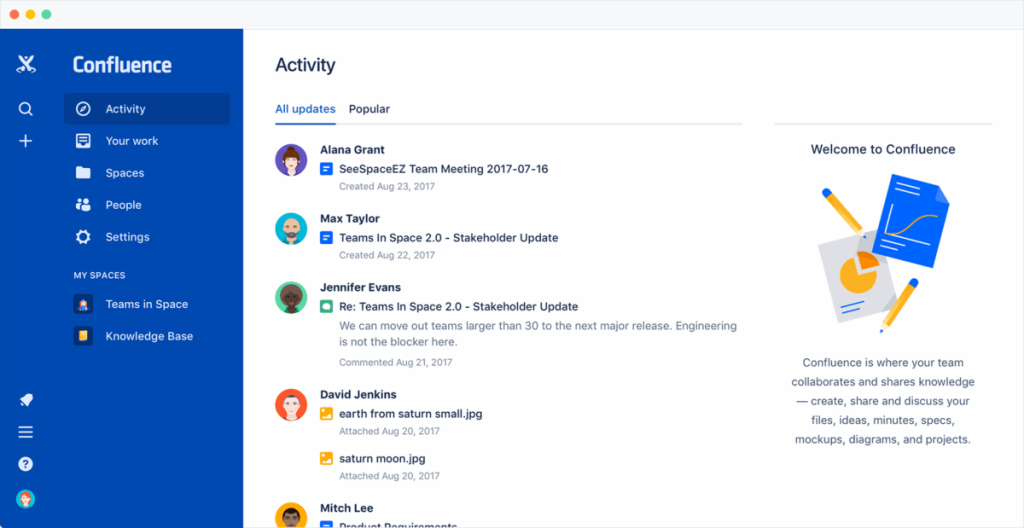
Confluence, from Atlassian, is a team wiki and documentation platform. It’s particularly strong for structured documentation (API guides, integration playbooks, implementation runbooks) and pairs tightly with Jira for issue and project tracking, making it a natural fit for technical or developer-focused partner programs.
Top features
- Hierarchical spaces and pages for partner documentation, guides, and FAQs
- Powerful search, labels, and templates for consistent documentation structure
- Page permissions and space-level access control for different partner tiers or regions
- Deep integration with Jira and other Atlassian tools for linking docs to issues and projects
Use cases
- Technical partner ecosystems where partners need detailed integration and implementation docs
- Programs where internal teams already live in Jira and want partner-facing docs in the same universe
- Partner training hubs that rely heavily on written runbooks and how-to content
Pricing
Confluence has a Free plan for up to 10 users with basic functionality. Paid plans typically start around $6/user/month (Standard) and go up to roughly $11–12/user/month (Premium), with Enterprise tiers offering custom pricing and unlimited automation.
5. SuiteDash
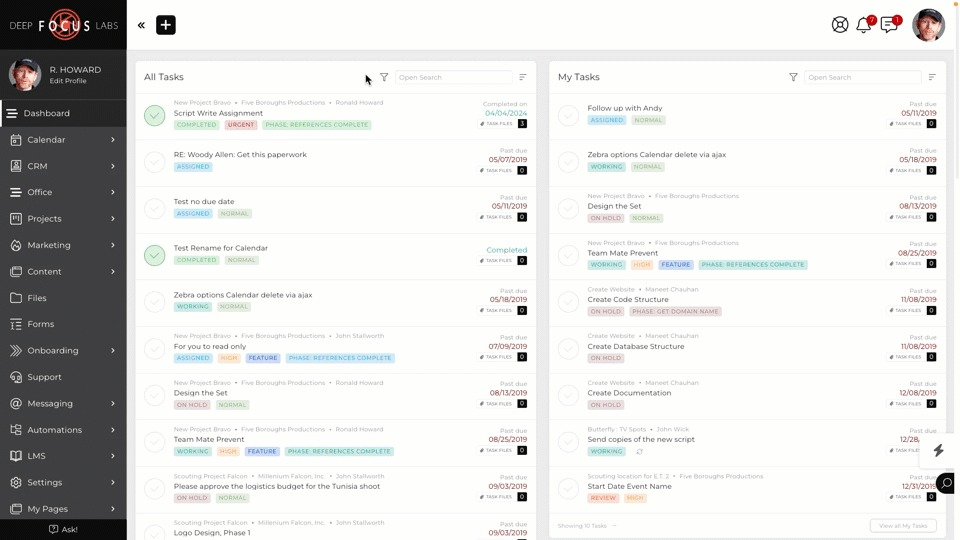
SuiteDash is an all-in-one business platform that combines CRM, project management, billing, marketing, and fully white-labeled client/partner portals. It’s designed as a “single stack” for agencies, service firms, and SMBs that want to manage clients and partners under one login, with unlimited contacts and portals on all plans.
Top features
- White-labeled portals with custom domain, branding, and branded mobile apps
- CRM with unlimited contacts plus integrated project management and file sharing
- Built-in invoicing, subscriptions, and payment workflows
- Email marketing, automations, and client journeys for nurturing and onboarding
Use cases
- Agencies and service providers that want a combined CRM + billing + portal environment
- B2B teams managing both clients and partners in one system with different portal views
- Organizations that prefer one all-in-one tool over assembling multiple point solutions
Pricing
SuiteDash offers three flat-rate plans: Start at $19/month, Thrive at $49/month, and Pinnacle at $99/month, each with increasing storage and advanced marketing and automation capabilities. All plans typically include unlimited CRM contacts and portals; there’s a free trial but no permanent free plan.
6. Clientary
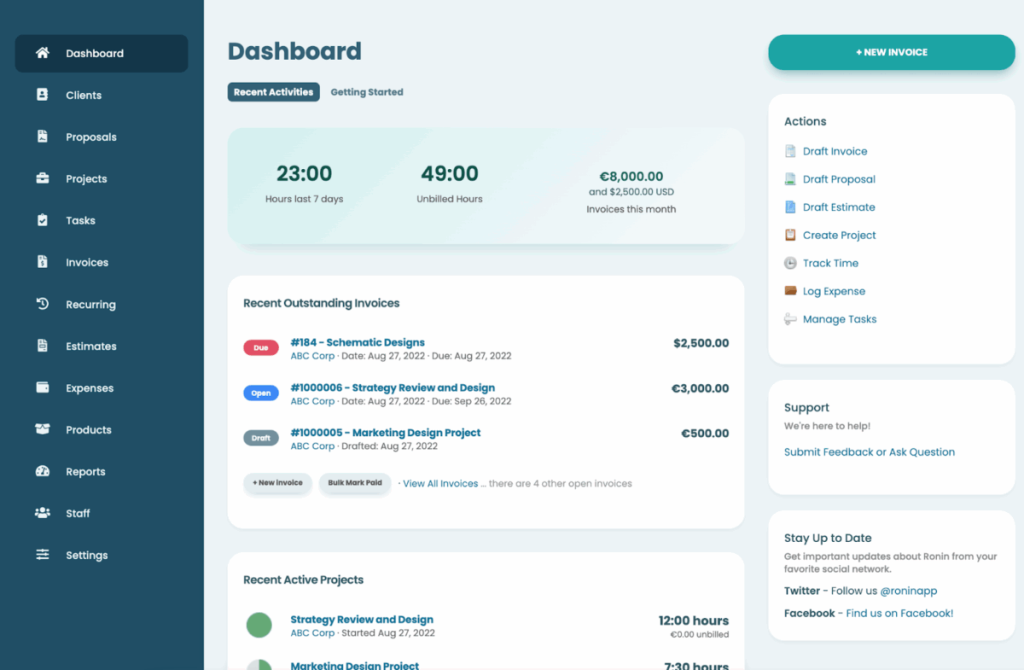
Clientary is an all-in-one client management and billing platform aimed at freelancers, agencies, and small professional service firms. It includes client-facing logins, invoices, estimates, time tracking, and simple project views, which can function as a lightweight partner portal when you want finance and collaboration tied together.
Top features
- Client-facing logins where partners can see invoices, estimates, and project status
- Invoicing, recurring billing, and payment tracking with multiple currencies
- Time tracking, expenses, and basic project management tools
- Customizable branding, templates, and a simple custom-domain option on higher plans
Use cases
- Small B2B agencies or consultancies that want a simple portal plus billing in one place
- Freelancers or micro-firms managing a handful of recurring partner or referral relationships
- Early-stage teams that need to look professional without implementing a full PRM or CRM suite
Pricing
Clientary has multiple tiers, with paid plans typically starting at $19/month (Basic) and scaling up through $39/month (Team) and $59/month (Agency) for more staff users and unlimited clients.
Conclusion
Partner portals have moved from “nice-to-have” extras to essential infrastructure for ecosystem-led growth. As you compare tools like FuseBase, Zendesk, Notion, Confluence, SuiteDash, and Clientary, the real differentiator isn’t the length of the feature list, but how naturally each platform fits your workflows, stack, and team capacity. A good portal will make your current motions feel simpler, more visible, and easier to repeat, without forcing you into a rigid mold.
If you walk away with one next step, make it this: map the way work actually flows between you and your partners today, then choose the portal that strengthens that flow and gives you room to add more automation and insight over the next few years.