Transcripts are helpful. Outcomes are better. In 2025, teams need meeting notes that write themselves, surface decisions and owners, and push follow-ups into the tools where work actually happens.
This shortlist looks at eight Otter alternatives that prioritize clarity and actionability in your meeting notes. Each entry covers who it’s best for, how it summarizes (not just transcribes), and how it handles essentials like speaker labels, highlights, multi-language accuracy, governance, and integrations.
What you’ll find inside: practical picks for sales and CS handoffs, workshop-friendly highlight tools, agenda-first internal meeting platforms, and CI systems that coach teams and de-risk deals. Pick based on the job to be done, not brand familiarity.
TL;DR – Best 8 Otter AI Alternatives by Job to Be Done
- FuseBase – Best for teams that want meeting notes + client portals where transcripts turn into tasks, docs, and client-facing views.
- MeetGeek – Best for automated recording and AI notes across Zoom/Meet/Teams with strong multilingual support.
- Fireflies – Best for searchable, long-term meeting archives and automation.
- Avoma – Best for revenue teams that need note-taking plus coaching, deal insights, and CRM-friendly call intelligence.
- tl;dv – Best for sharing highlight reels and snippets from calls, with instant recordings, transcripts, and time-stamped clips.
- Jamie – Best for privacy-first note-taking without a meeting bot, including offline meetings and 90+ languages.
- Fathom – Best for frictionless, Zoom-centric note-taking with “ask anything” search and customizable summaries.
- Read.ai – Best for teams that want analytics and “meeting intelligence” on top of notes.
What Is Otter AI?
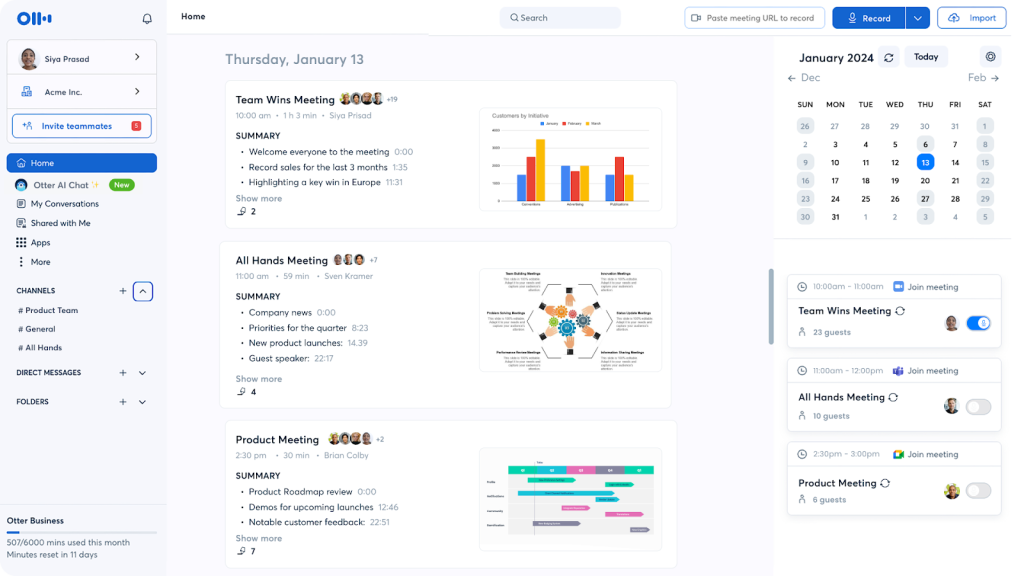
Otter AI is a live meeting capture assistant that records conversations, turns speech into searchable text in real time, and produces quick summaries with decisions, action items, and timestamps. It plugs into Zoom, Google Meet, and Microsoft Teams, labels speakers automatically, and lets you jump straight to moments by keyword or highlight. During the call you can add comments, tag takeaways, and pull in shared screen context so the notes reflect what people heard and saw. Afterward, Otter organizes the transcript into sections, surfaces key points, and makes sharing or exporting simple for teammates who missed the meeting. It is designed for general-purpose meetings where fast, accurate capture and easy review matter more than heavy workflow automation.
Reasons Companies Look for Otter AI Alternatives
As teams scale and their workflows mature, Otter AI can start to feel limiting. Companies usually begin exploring alternatives when they run into one or more of these issues:
- Transcription accuracy & languages. Mixed accents, technical jargon, and multilingual meetings may require more accurate engines or broader language support.
- Limited workflow automation. Teams want transcripts, highlights, and summaries to flow directly into their CRM, project management, or knowledge base without manual copy-paste.
- Basic meeting insights. Otter’s highlights and summaries are useful, but some teams need deeper analytics: trackers (e.g., “budget discussed”), sentiment, and structured outputs for reports.
- Collaboration friction. Companies want better tools for commenting, assigning tasks, tagging moments, and turning meetings into follow-up work, not just shared transcripts.
- Security, compliance, and control. Regulated or enterprise teams often need stricter data residency options, granular permissions, SSO/SAML, audit logs, and more control over how and where data is stored.
- Customizable AI behavior. Many teams want to define their own summary formats, templates, and prompts so the AI follows their sales, success, or product frameworks instead of generic recaps.
When these pain points stack up, it’s a clear signal to evaluate Otter AI alternatives that align better with your data requirements, collaboration style, and long-term workflow strategy.
Top 8 Alternatives to Otter AI in 2025
1. FuseBase
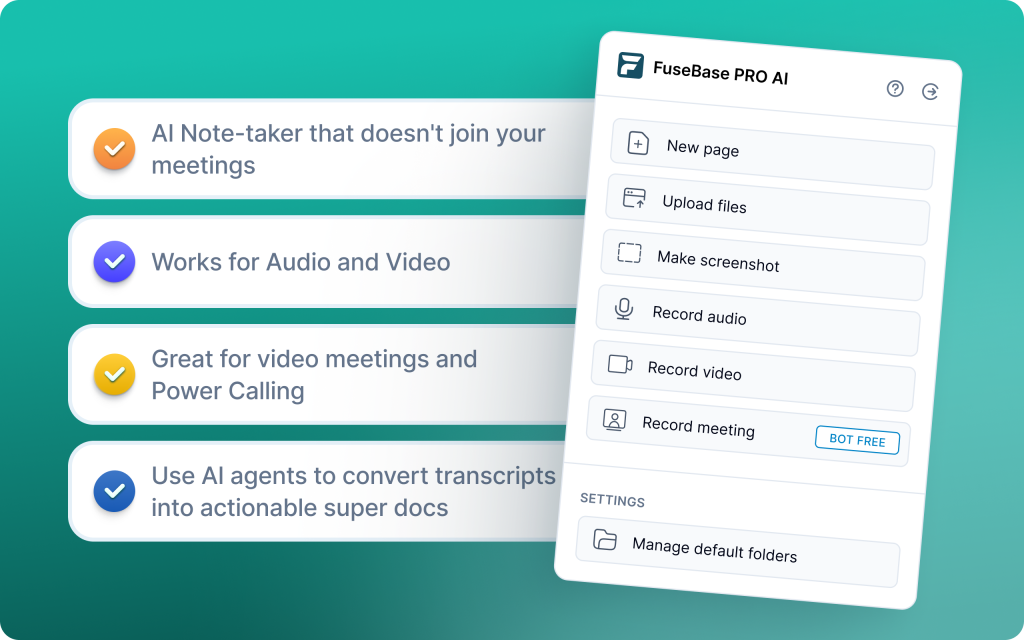
FuseBase is a bot-free AI meeting recorder and client workspace that turns every Zoom, Teams, or Meet call into a shareable mini-room with a polished recap, next steps, files, and context. Built-in AI agents watch for risk, opportunities, and follow-ups during the call, then convert those moments into real tasks and trackers across your CRM and project tools. Each meeting inherits your branding and structure, so clients return to a consistent hub for discovery, demos, QBRs, and onboarding without “where is that link?” chaos.
Pros
- Bot-free capture for smoother client perception and fewer consent hurdles
- Client-ready mini-rooms that elevate your brand and reduce link sprawl
- Internal vs external notes split to protect sensitive insights while sharing clear client recaps
- Outcome-focused trackers and automations that reduce manual admin and missed follow-ups
- Consistent, white-labeled experience across the entire customer journey
Cons
- More powerful than a basic notetaker, so teams may need a short onboarding to use portals, trackers, and agents well
- Best suited to client-facing teams; simple internal-only note-taking needs might be over-served
2. MeetGeek
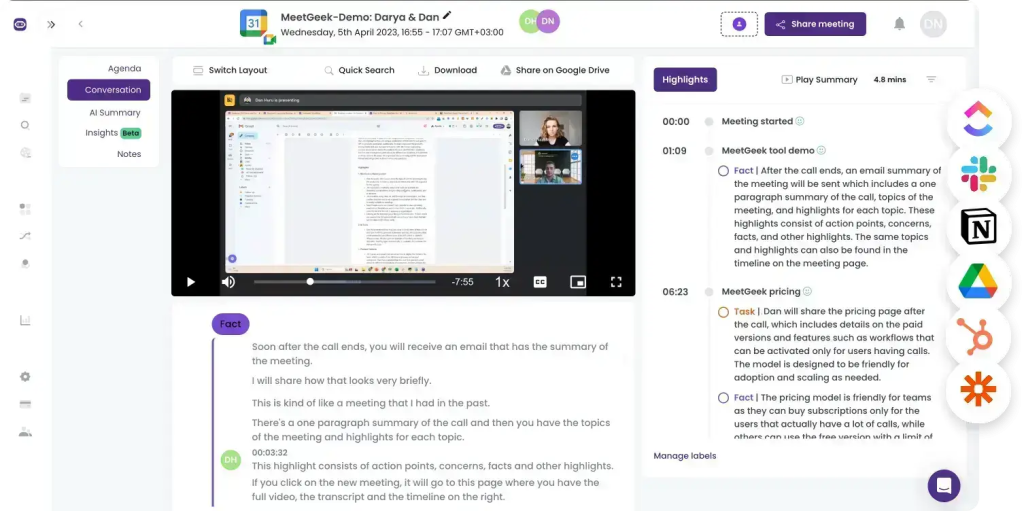
MeetGeek is an AI meeting assistant that automates transcription, thorough AI summaries, and advanced analytics while fitting smoothly into existing workflows. It focuses on accuracy and detail, turning calls into structured notes with action items and key points, and it connects to 7,000+ apps (Slack, HubSpot, Google Drive, Zapier) to automate follow-ups. Teams use MeetGeek to reduce meeting inefficiency, centralize a searchable library of past calls, and coach with engagement metrics, speaker distribution, and over 100 KPIs. It also supports predefined and customizable templates to standardize recurring meeting types.
Pros
- Deep integrations with popular tools to automate follow-ups
- Strong meeting insights and clearly captured action items
- Customizable templates and team collaboration workspace
- GDPR compliant with strong security practices
Cons
- Summaries can miss context-specific nuances
- Higher-tier pricing may be costly for small teams
- No simultaneous multi-language transcription support
3. Fireflies AI
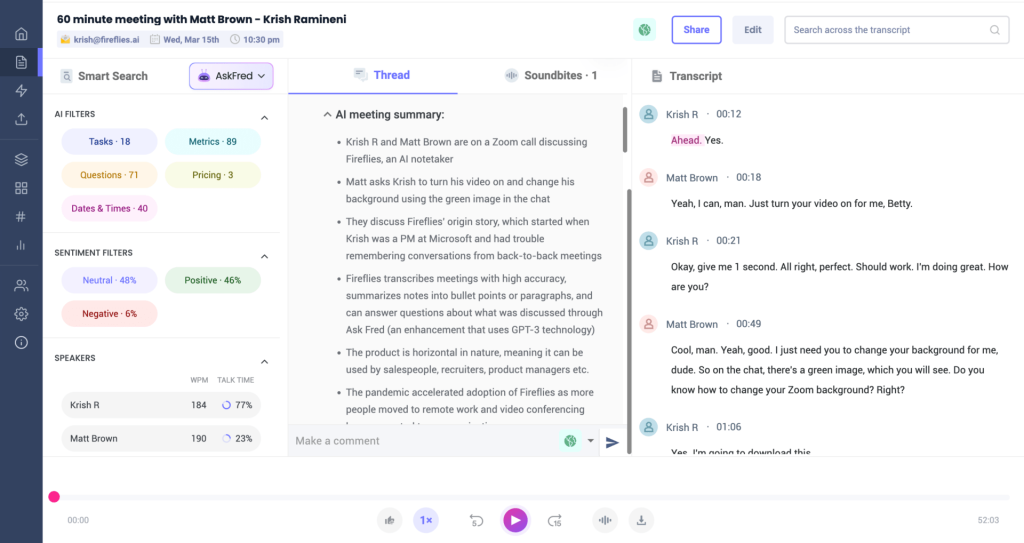
Fireflies is a widely used AI note taker and meeting organizer used by teams at brands like Netflix, Uber, Nike, and Expedia. It records and transcribes calls, generates detailed AI summaries, and lets teams review an hour-long meeting in minutes with a powerful search. You can maintain a library of recorded meetings as a knowledge hub, collaborate with teammates, analyze patterns, automate workflows via integrations, and capture video alongside transcripts.
Pros
- AI super summaries with overviews, action items, next steps, and topic-wise notes
- Smart search filters to jump to questions, metrics, dates, and keywords across your library
- AskFred chatbot to answer meeting questions, generate agendas, and draft follow-up emails or posts
- Video recording alongside transcripts for better context
Cons
- Bot can join meetings late, missing context and reducing summary accuracy
- Multilingual transcription requires pre-selecting the language and can be inaccurate outside English
- Limited depth in conversation intelligence (call scoring, competitor tracking, advanced coaching)
4. Avoma
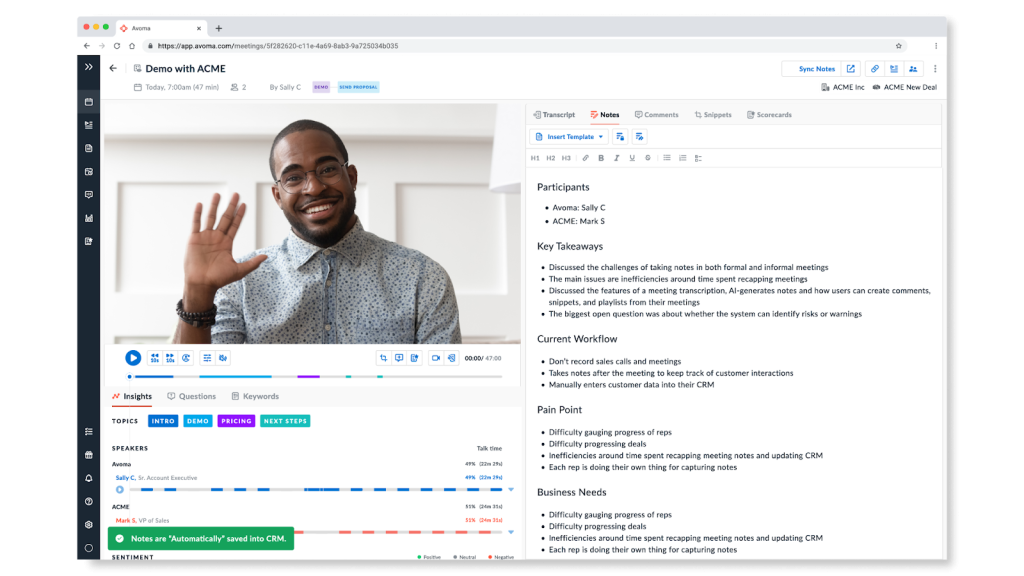
Avoma helps teams optimize meetings by automating note-taking, transcription, and analysis so you can stay fully engaged in the conversation. It provides real-time transcription and AI-generated notes, captures key insights and action items, and streamlines prep with agenda templates for consistent, high-quality meetings across sales, HR, and customer success.
Pros
- End-to-end meeting workflow support (prep, capture, follow-up)
- Strong integrations with CRMs and conferencing platforms
- Coaching insights for sales and success leaders
- AI-generated summaries that save time on note-taking
- Meeting agenda templates for consistent preparation
Cons
- No free tier
- Primarily focused on sales and CS use cases; less tailored for general business users
5. tl;dv
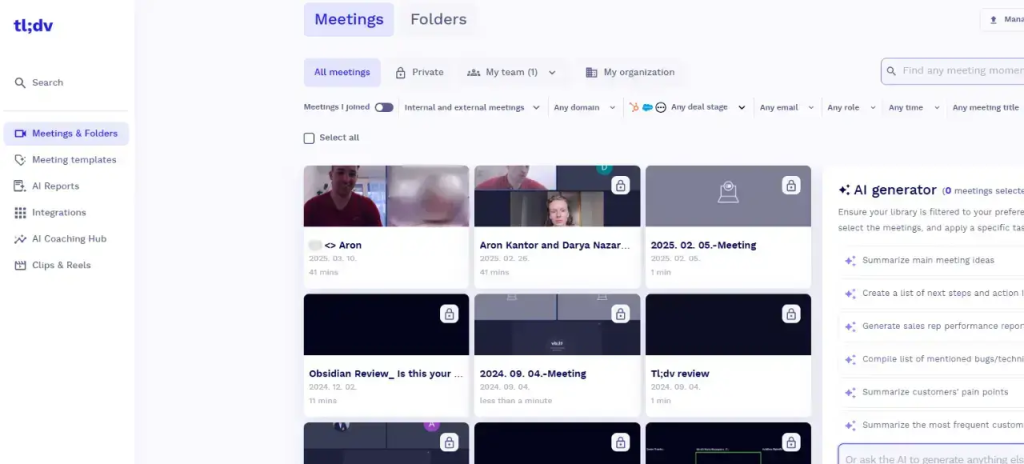
tl;dv is an AI meeting recorder for Google Meet and Zoom that delivers automatic, real-time transcription and clear post-call summaries. Workshop facilitators use it to capture group discussions, analyze key themes, and identify areas for deeper exploration, turning raw sessions into data they can act on. In Google Meet, a tl;dv bot joins seamlessly and sends AI-generated summaries so everyone aligns on what happened and what’s next.
Pros
- Unlimited recording and transcription on the free plan
- High-quality recording with easy clip sharing and timestamped highlights
- Transcription in 30+ languages
- Post-call AI summaries that clarify next steps
- Useful for workshops and group analysis
Cons
- Most integrations are available only on paid plans
- Limited to Google Meet and Zoom
6. Jamie
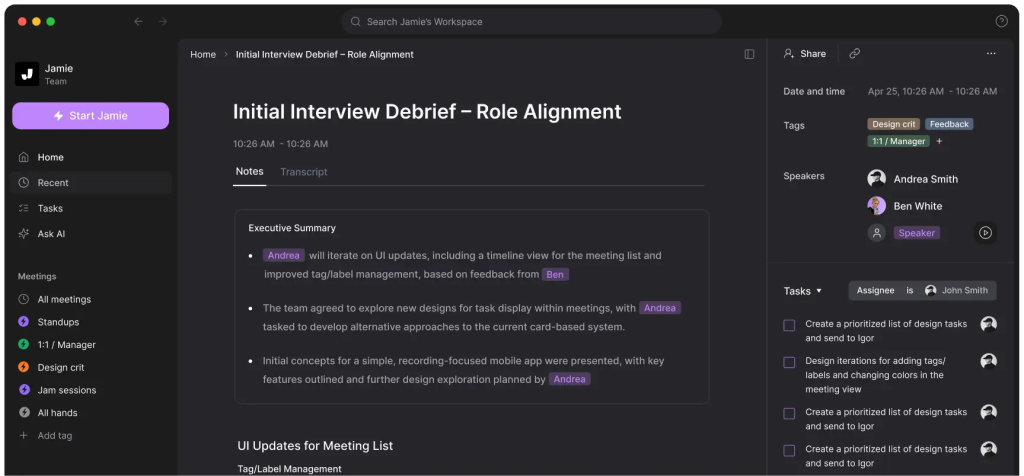
Jamie focuses on extracting actionable items and detecting decisions during meetings, using customizable summary templates tailored to your workflows. It recognizes and labels speakers automatically, records meetings without joining as a visible bot, and generates transcripts, summaries, and action items. It also supports offline use and multiple languages, making it a lightweight way to capture outcomes with minimal setup.
Pros
- Bot-free recording for a smoother participant experience
- Customizable summary templates focused on decisions and action items
- Automatic speaker recognition for clear who‑said‑what context
- Works offline and supports multiple languages
Cons
- It’s less suited for complex, structured workflows where you need custom fields, trackers, or pipeline-level insights.
- For larger, ops-heavy teams, the minimal, bot-free approach can feel too simple compared to more configurable platforms.
7. Fathom
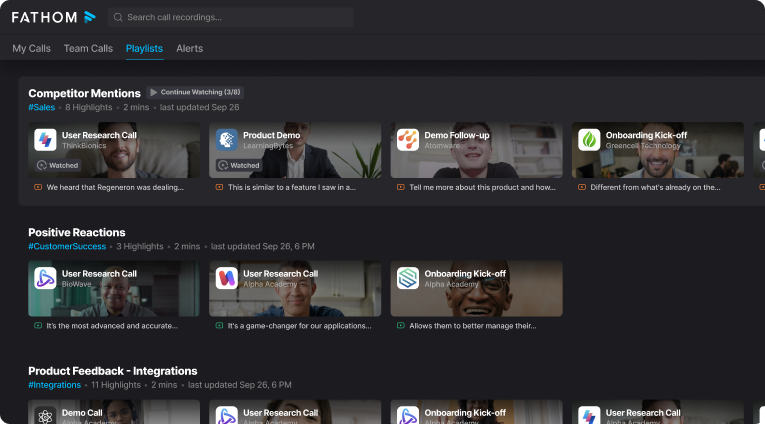
Fathom is best for individuals who want free, unlimited meeting recordings and storage. It captures, transcribes, and summarizes Zoom, Microsoft Teams, and Google Meet calls, letting you highlight moments mid-call and quickly share short video clips. On paid tiers, teams get searchable transcripts across all meetings for faster review and handoffs.
Pros
- Automatic summaries with action items for quick post-call clarity
- One-click, easily shareable reels and video clips
- Powerful AI for mid-call highlights and instant recap
- Instant downloads of recordings and transcripts
- Team-wide searchable transcripts on paid plans
Cons
- Only 6 languages supported for transcription
- No multi-meeting intelligence or roll-up analytics across calls
8. Read.ai
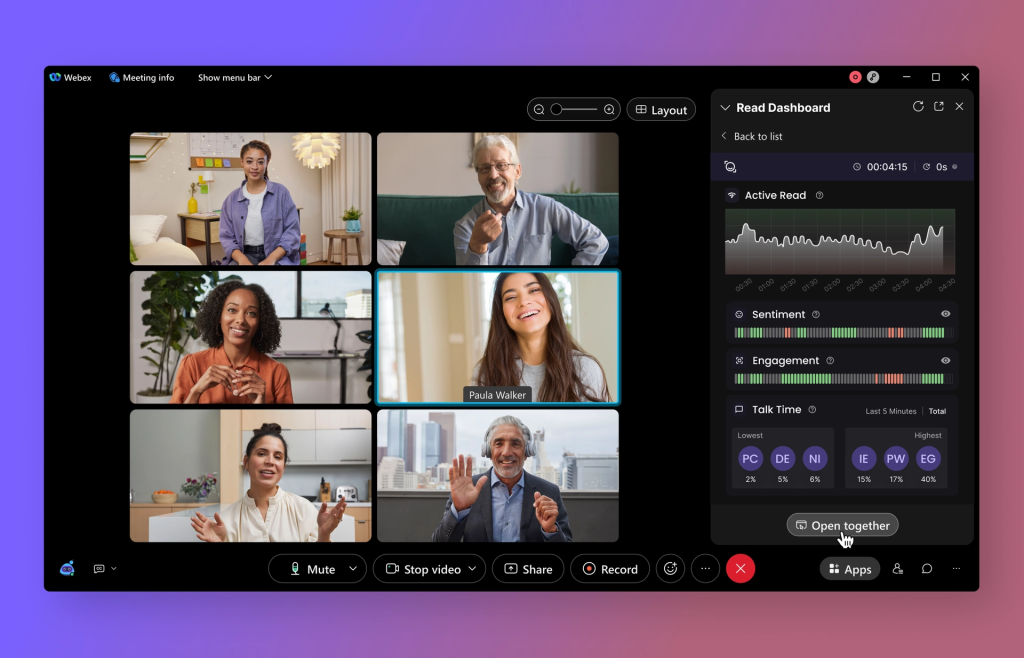
Read.ai is a meeting intelligence tool that transcribes calls and emphasizes engagement and speaker performance. With Transcription 2.0, it layers sentiment and audience reactions on top of transcripts, generates AI summaries, and offers personal coaching based on speaking patterns. Its Search Copilot lets you query across meetings, emails, and documents in natural language, so you can “chat” to retrieve facts, action items, or context. Teams use Read.ai for real-time sentiment and engagement metrics, plus deeper analytics that highlight participation trends and meeting effectiveness.
Pros
- Summaries, action items, and speaker details help you multitask during and after meetings
- Quick, straightforward setup and recognizable in-meeting branding
- Meeting summaries capture essential content reliably
- Real-time sentiment, engagement metrics, and coaching insights for individuals and teams
Cons
- Removing the bot from calendars and auto-attached meetings can be difficult
- Automatic calendar attachment can frustrate users who prefer explicit opt-in
Summary
If you just need a transcript, almost any tool here works. If you need results, pick the platform that turns calls into next steps automatically.
FuseBase is the clear winner for client-facing teams: bot-free recording, branded mini-rooms per meeting, split client vs internal notes, and AI agents that push tasks to your CRM/PM so follow-ups don’t slip. MeetGeek offers strong analytics and team collaboration at a solid price-to-feature ratio. Fireflies shines for 60+ languages, clips, and broad integrations. Avoma is best for end-to-end meeting workflows and coaching across sales and CS. tl;dv excels at highlight-driven reviews for workshops and multi-speaker sessions. MeetJamie keeps it simple with bot-free capture and decision-focused summaries. Fathom is the top free pick for individuals with unlimited recordings and quick highlights. Read.ai adds meeting health and engagement analytics with coaching signals.
Bottom line: if you care about outcomes that drive revenue and retention, start with FuseBase and layer in the other tools based on the specific job you need done.