In 2026, the bar for meeting productivity tools is higher than ever. Teams don’t just want a transcript. They expect accurate summaries, actionable tasks, and smart integrations that slot into existing workflows without extra admin work. The best platforms now go beyond “notes” to automate follow-ups, sync outcomes to tools like Slack, Notion, Asana, Jira, HubSpot, or Salesforce, and turn recurring meetings into a reliable system for decisions and accountability. At the same time, privacy and security are no longer optional: more companies need stronger controls around storage, sharing, permissions, and compliance – especially when sensitive client or internal discussions are involved.
If you’re evaluating Jamie AI alternatives, it’s worth looking at how the newest tools in this space have evolved. In this article, we’ll walk through the top 7 Jamie AI alternatives to try in 2026, highlighting what each tool does best and practical considerations.
Here’s a quick summary of the best Jamie alternatives:
- FuseBase – Bot-free recorder that turns every call into a branded mini-room with recap, files, next steps, plus AI agents that create tasks and flag risks.
- Fireflies.ai – Cross-platform recording, top-tier summaries, powerful search, and strong integrations for a searchable knowledge hub.
- Otter – Transcription-first with real-time captions, summaries, slide capture, and collaborative transcripts.
- Krisp – Two-way noise cancellation with bot-free real-time transcription and searchable notes for privacy-conscious teams.
- Grain – Live notepad, fast highlights, playlists, and CRM auto-sync for quick insight sharing.
- MeetGeek – Detailed summaries, advanced analytics (100+ KPIs), 7,000+ integrations, and mixed-language recognition.
- tl;dv – Research-friendly tagging, timestamped highlights, team libraries, and multi-language support across Zoom, Meet, and Teams.
What is Jamie?
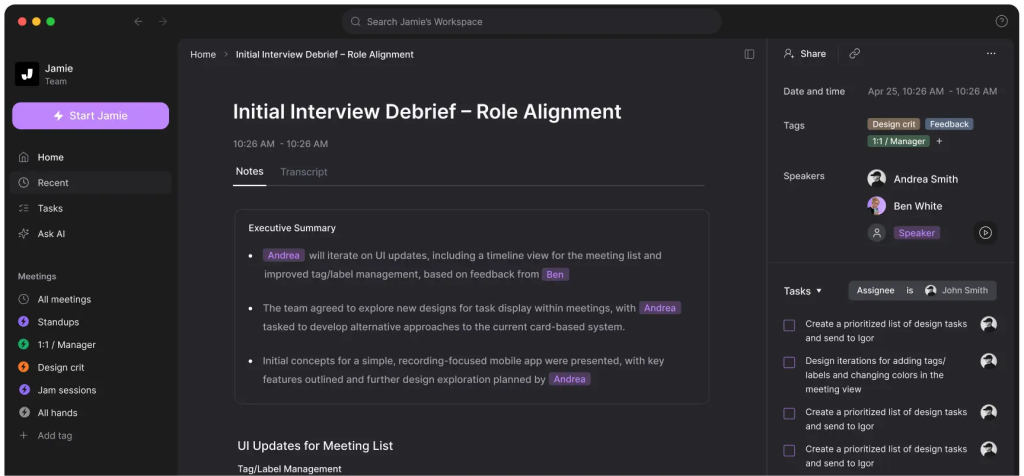
Jamie is a modern AI meeting assistant built to reduce the busywork that follows meetings. It analyzes meeting audio or recordings and produces a concise summary that usually includes key moments, decisions, and tasks. Many people use Jamie as a “meeting memory” tool that keeps conversations searchable and easy to share, which is especially helpful when stakeholders miss a call or when you need to confirm what was agreed later.
Depending on how you work, Jamie can support everything from quick internal check-ins to client calls, helping teams move from discussion to execution faster. Instead of replaying recordings, users can scan a recap, copy the action items into a task manager, and send highlights to teammates in minutes. As the category has advanced, Jamie has become one of the benchmarks people compare against when looking for newer AI meeting tools with more automation, stronger integrations, or tighter privacy controls – especially as expectations around accuracy, collaboration features, and data handling keep rising year over year.
Jamie Limitations and Pain Points
Even strong AI meeting tools can fall short depending on your workflow, team size, and security requirements. These are some of the most common limitations and pain points that push users to explore other options to Jamie:
- Summary accuracy can be inconsistent: Meeting quality varies – cross-talk, weak audio, accents, or fast-paced discussions can lead to missed context, unclear decisions, or action items that need manual correction.
- Action items may lack structure: Some users find that tasks are captured, but not always assigned clearly (owner, deadline, priority), which limits how “ready-to-execute” the output is.
- Limited customization for different meeting types: If you run sales calls, standups, 1:1s, or stakeholder reviews, you may want different formats. Tools that don’t offer templates or custom sections can feel generic.
- Integrations may not match your stack: A meeting assistant is only as useful as where it sends the output. Missing or shallow integrations (CRM, project tools, knowledge bases) can create extra copying and pasting.
- Collaboration features may not scale. Teams often need shared workspaces, permissions, and organized libraries. If access control or multi-team organization is limited, it gets harder to roll out broadly.
- Search and long-term knowledge capture can be weak: If it’s hard to search across meetings, topics, and decisions, insights stay trapped in individual recaps instead of becoming a reusable knowledge base.
These pain points don’t mean Jamie is “bad” – they just show why the best choice in 2026 often depends on what you value most: accuracy, automation depth, integrations, or enterprise-grade controls.
Top 7 Jamie Alternatives
1. FuseBase
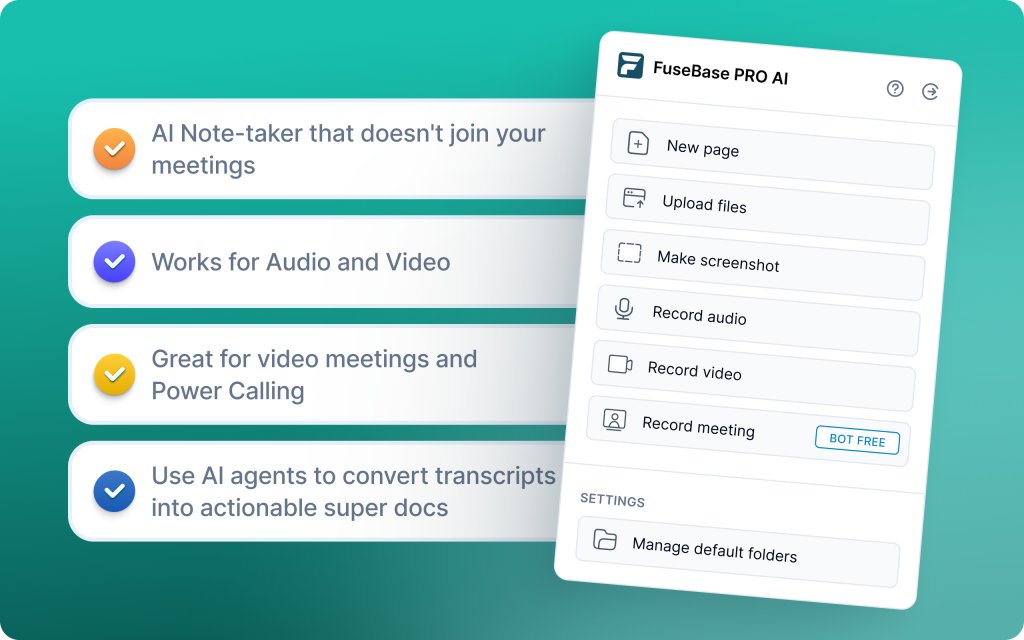
FuseBase is a bot-free AI meeting recorder and workspace that turns every Zoom, Teams, or Meet call into a branded mini-room with recap, files, and next steps – not a naked transcript link. Each meeting becomes a client-ready space on your domain while AI agents watch for risks, opportunities, and follow-ups, then auto-create tasks, populate trackers, trigger workflows, and even schedule save-the-deal meetings. Designed to improve retention and revenue, FuseBase separates client-facing summaries from internal-only risks and coaching notes.
Key features
- Bot-free recording, personal notes, audio notes, Loom-style clips, shared docs in one place.
- Deal or client room with recap, decisions, next steps, and supporting assets.
- White-label by default for a premium client experience.
- Discovery, QBR, onboarding all follow the same branded flow to cut “where’s the link?” chaos.
- Clean client recap plus private risk flags, objections, and coaching notes.
- Detect no next meeting, budget gaps, scope creep, renewal risks, repeated objections.
- AI agents to action: Auto-create tasks, populate trackers, trigger follow-ups in your tools, schedule save-the-deal meetings.
Limitations
- Not designed for cold calls or deep rep coaching
- Can be overkill for very small teams with basic note needs
2. Fireflies.ai
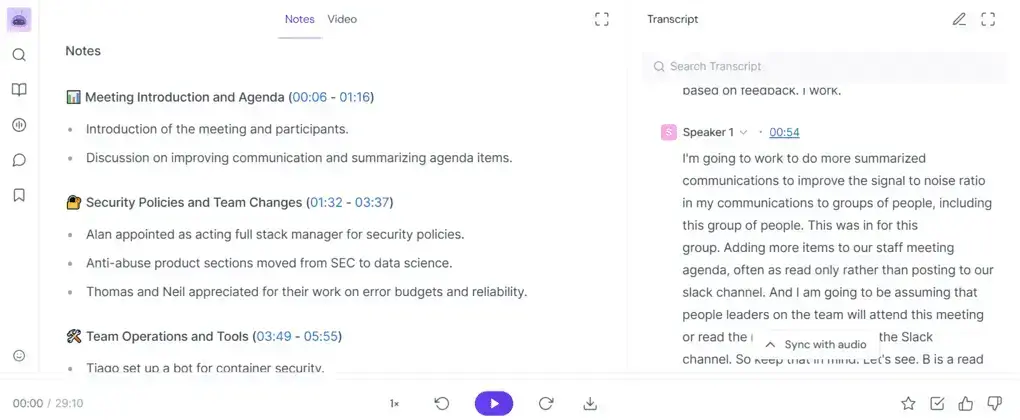
Fireflies.ai is a proven AI notetaker and meeting organizer used by teams at Netflix, Uber, Nike, and Expedia. It automatically joins, records, transcribes, and summarizes meetings across Zoom, Google Meet, and Microsoft Teams, then turns them into a searchable knowledge hub. With top-tier summaries, powerful AI-driven search, and the AskFred assistant, teams can review an hour-long call in minutes, collaborate inside transcripts, and push outcomes into their stack via native integrations, Zapier, or API.
Key features
- Cross-platform capture and transcription (Zoom, Meet, Teams)
- Top-of-the-range AI summaries and AI-driven smart search/topic tracking
- Collaborative transcripts with comments, reactions, and highlights
- AskFred AI assistant to query recordings and surface answers fast
- High-quality integrations plus Zapier and API for workflow automation
- Transcription support for 40+ languages and dialects
Limitations
- Sentiment analysis can raise EU AI Act compliance concerns for European teams
- Must select transcription language manually; no auto-detection of switches
- Less suited for deep sales coaching/CI vs specialized platforms
3. Otter.ai
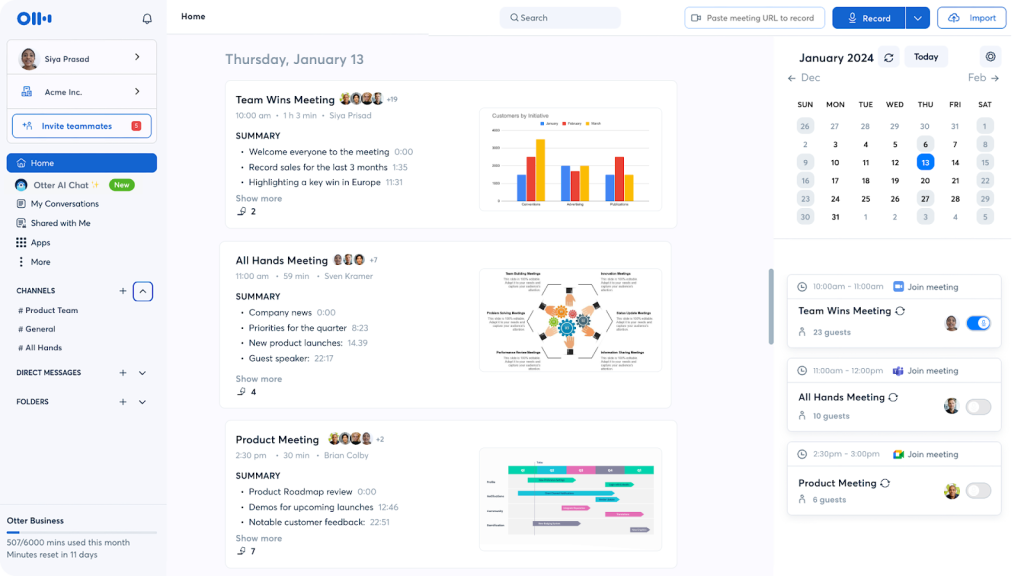
Otter is a transcription-first assistant that records audio and generates real-time transcripts with speaker IDs, timestamps, highlights, and auto summaries. Popular with journalists, media teams, and universities, it focuses on fast, shareable documentation across Zoom, Google Meet, and Microsoft Teams, with collaborative editing and a searchable archive.
Key features
- Real-time transcription with speaker identification and timestamps
- Automated summaries, action items, and highlights
- Collaborative workspace for comments and task assignments
- Slide capture synced to the transcript for added context
- Powerful search and keyword tracking across transcript history
- Multi-user support and live captions for meetings and interviews
Limitations
- Audio-only recording on most plans; video typically requires Enterprise
- Language support limited to English, Spanish, and French
- Less favored by remote or async teams needing richer meeting management spaces
4. Krisp
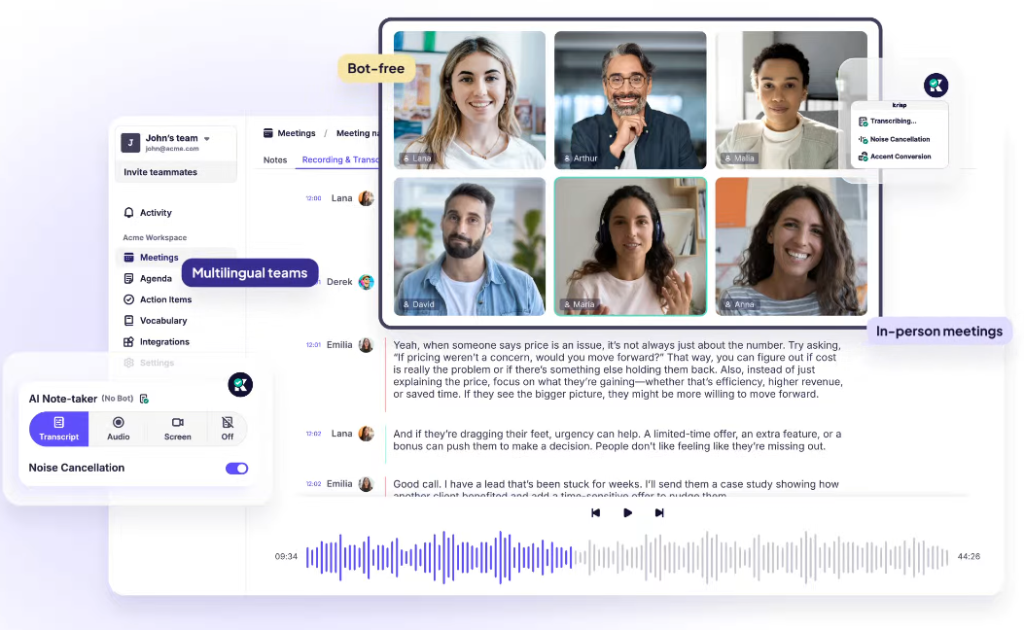
Krisp is a bot-free AI layer focused on impeccable call quality and real-time transcription. It combines two-way noise and echo removal with live transcript generation and a searchable meeting history, all without a meeting bot. Ideal for privacy-conscious and compliance-focused teams, as well as open-office and remote environments where clean audio determines transcription accuracy.
Key features
- Two-way AI noise and echo cancellation for clearer audio
- Bot-free, real-time transcription and meeting notes
- Searchable meeting history and note archives
- Mobile support for on-the-go recording with noise cancelling
- Accent conversion and voice clarity enhancement tools
- Unlimited free transcriptions under a privacy-first model
Limitations
- Limited conversational intelligence and coaching compared to CI platforms
- No deep CRM sync, task automation, or deal analytics
- Best as an audio quality and transcription layer, not an end-to-end workflow system
5. Grain
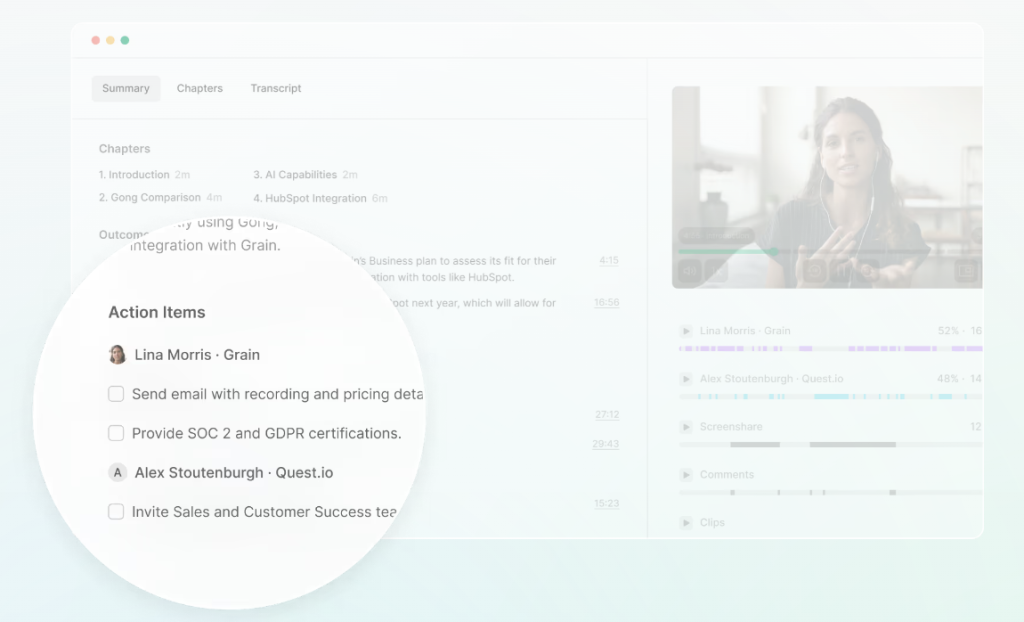
Grain is a conversation intelligence and AI meeting assistant built for quick highlights, CRM hygiene, and lightweight analytics. It automates note-taking, CRM data entry, and follow-up emails, with time-stamped comments, reels, and playlists that make it easy to share key moments without scrubbing entire recordings. Deal analytics surface pipeline status, activity, and keywords for faster reviews across sales, CS, product, and content teams.
Key features
- Automatic CRM sync for notes, tasks, and activities to deal/contact records.
- Live Notepad with real-time tagging and instant clip creation.
- Highlights, reels, and playlists for rapid sharing and onboarding.
- Conversation insights including talk time, speed, filler words, and keyword alerts.
- Deal analytics to track pipeline status, activity, and keyword trends.
- Collections for grouping calls and clips to align cross-functional teams.
Limitations
- Limited integrations and API flexibility for broader PM/CRM stacks.
- No centralized call recording library/dashboard for easy retrieval.
- Best with HubSpot; non-HubSpot users may struggle with sync and automation.
6. MeetGeek
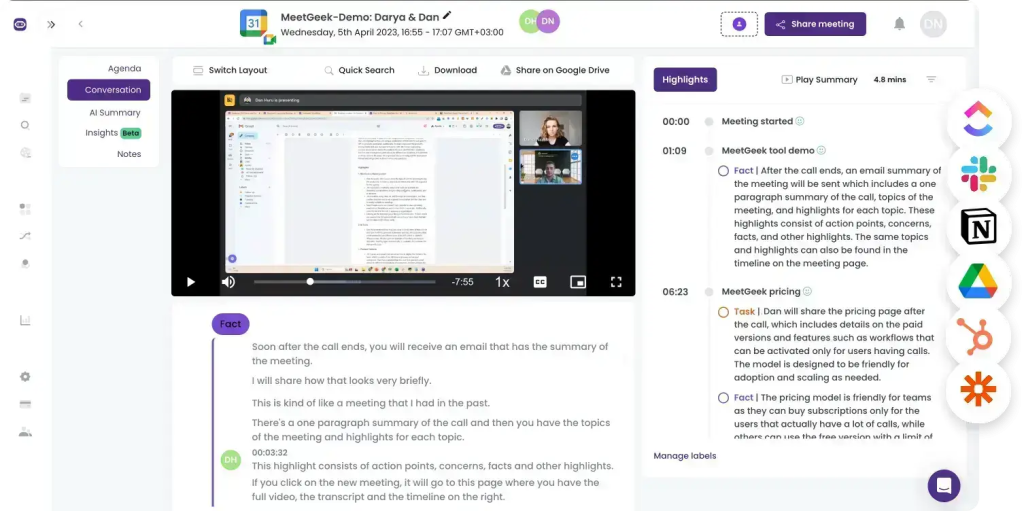
MeetGeek is an accuracy-first AI meeting assistant that automates transcription, detailed summaries, and advanced analytics while fitting cleanly into existing workflows. It builds a searchable team library, connects to 7,000+ apps for automated follow-ups, and surfaces conversation intelligence with 100+ KPIs. With support for 20+ languages and mixed-language recognition in a single call, MeetGeek suits global teams that want measurable insights, collaboration, and automation without heavy setup.
Key features
- AI summaries with action items and key points
- Searchable team library for recordings and insights
- Customizable meeting templates for structured sessions
- Auto-distribution of summaries to inboxes and Slack
- Smart highlights, speaker labeling, and easy export
- GDPR-grade security for compliance-focused orgs
Limitations
- Free tier has limited transcription features
- Summaries can miss nuanced, context-specific details
- Analytics depth can require configuration to avoid noise
7. tl;dv
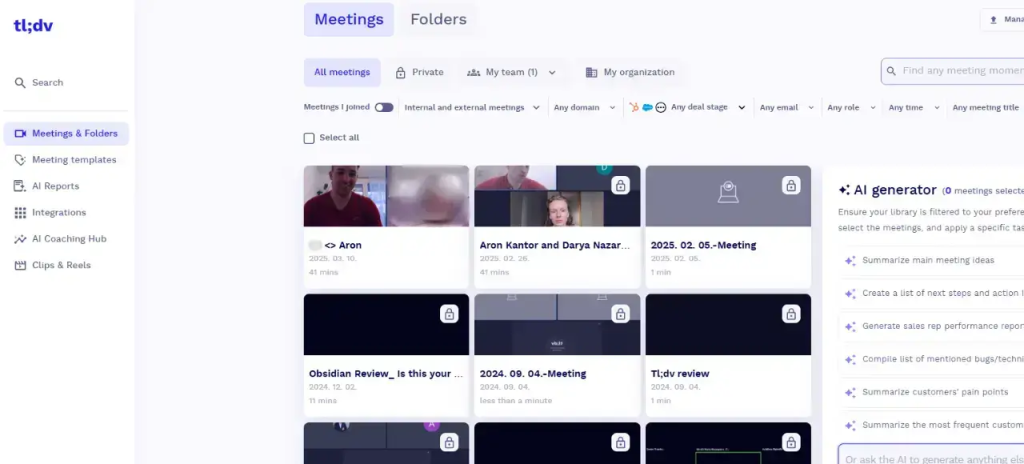
tl;dv is a researcher-friendly, cross-platform meeting recorder for Google Meet, Microsoft Teams, and Zoom that delivers real-time transcription and post-call AI summaries. It shines for product and UX teams running interviews and workshops, with quick tagging, timestamped highlights, and shared libraries so insights are easier to curate, revisit, and act on across 30+ languages.
Key features
- Live recording and real-time transcription across Zoom, Meet, and Teams
- AI-generated post-call summaries for clear next steps
- Timestamped highlights and quick tagging for rapid insight capture
- 30+ language support for global research programs
- Team libraries to organize interviews, workshops, and findings
- Research-focused workflows for themes, clips, and shareable reels
Limitations
- Some advanced integrations and AI features sit behind paid tiers
- Requires a bot to join meetings, which some teams avoid for privacy/consent workflows
Summary: Choosing the Best Jamie Alternative
The best Jamie alternative in 2026 depends on what you expect from an AI meeting tool. Some teams mainly want reliable transcription and fast summaries, while others care more about clean audio, shareable video highlights, or building a searchable meeting library that becomes a source of truth over time. If your priority is simply capturing what was said, tools like Fireflies.ai and Otter are strong options for transcription, summaries, and searchable archives. If audio quality is the biggest issue, Krisp can be a smart choice to make calls clearer and easier to understand. For teams that want to share key moments as clips and keep stakeholders aligned, Grain and tl;dv are well-known for highlight-based workflows. MeetGeek is also a solid all-around pick for teams that want structured meeting notes and automated recaps.
That said, if you want more than “better notes” and you’re choosing a replacement that actually helps your team execute, FuseBase stands out as the best option. It’s built for outcomes, not just documentation: bot-free meeting capture plus a branded, shareable client mini-room where the recap, files, decisions, and next steps live together. Instead of sending a transcript link and hoping follow-ups happen, FuseBase is designed to move the conversation forward, reduce post-meeting chaos, and support real follow-through – especially in revenue moments where clarity, speed, and margin protection matter.