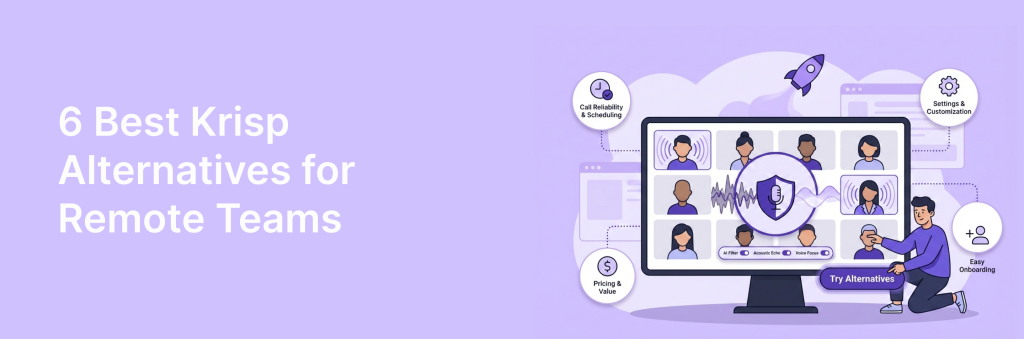
Remote teams don’t just need “better audio” – they need something reliable across different devices, home setups, and roles. The best Krisp alternatives for distributed teams are the ones that scale: simple onboarding, consistent performance, and controls that don’t turn IT into a full-time help desk. One teammate might be on a laptop mic in a noisy café, another on a headset at home, and someone else on a desktop with a full studio setup – and your tool needs to handle all three without drama.
Admin features matter here more than most people expect: centralized licensing, policy controls, and (for many orgs) SSO and compliance readiness. You’ll also want to consider how a solution behaves across apps – internal standups, customer calls, and quick async recordings don’t always use the same stack. In this guide, we’ll break down the most team-ready options, what to look for before you standardize on one, and the hidden issues that often show up only after everyone is using it day to day.
TL;DR – Best Krisp Alternatives
- FuseBase – best Krisp alternative when the real need is sharing outcomes: turn meeting decisions, docs, and knowledge into secure, branded portals with AI Agents
- Jamie – best Krisp alternative for bot-free, privacy-first AI meeting notes across platforms (and even offline).
- Utterly – best Krisp alternative for real-time noise cancellation (Mac) across calls and audio streams.
- Bluedot – best Krisp alternative for bot-free meeting capture + CRM workflows (summaries, transcripts, highlights, integrations).
- Granola – best Krisp alternative for a lightweight AI notepad (no meeting bots) that turns notes + transcript into clean summaries.
- Read.ai – best Krisp alternative if you want an AI copilot that auto-generates meeting recaps (summary, action items, insights).
What is Krisp?
Krisp is a tool that began as on-device noise cancellation and evolved into an AI meeting assistant built for clarity. It filters background noise and stray voices at the system mic, adds accent smoothing so speakers are easier to understand, and plugs into Zoom, Microsoft Teams, and Google Meet. Beyond audio hygiene, it now offers automatic transcription, meeting notes, summaries, and an assistant that can draft follow-up emails. Local processing is a core draw for performance and privacy, which remote teams value.
In 2026, many competitors match transcription and summaries, making clean audio closer to table stakes. Krisp is still a strong choice if your priority is intelligible calls in less-than-ideal environments and a low-friction fit with existing tools. Its noise removal improves comprehension and makes transcripts cleaner, while platform integrations keep workflows simple. But, if you need more than clean calls and basic notes, you will want to compare Krisp against alternatives that push deeper into outcomes like client-ready recaps, internal risk flags, and automated task handoff.
Must-Haves for Krisp Alternatives
In 2026, noise suppression is a commodity. The real advantage comes from tools that convert conversation into execution: clear client deliverables, protected internal insight, and automated handoff into the systems your team already lives in.
- Dual outputs by default: Look for automatic split summaries that separate client-safe recaps from internal notes like pricing, margins, blockers, and coaching.
- Invisible capture: Prefer bot-free, local or tenant-local processing so there is no extra participant in the call and fewer consent headaches. The assistant should work quietly and deliver results after.
- From words to work: Action items should be extracted with owners and due dates, then pushed to Asana, ClickUp, Jira, and your CRM.
- Scope control: Choose AI that flags out-of-scope requests, creeping requirements, and silent commitments in real time to protect margin and timelines.
- Governance that scales: Look for regional processing, consent prompts, PII redaction, SSO/SCIM, role-based access, audit logs, and retention policies you can actually configure.
- Fit to your stack: Meet, Teams, Zoom are baseline. Validate CRM, ticketing, docs, and messaging integrations so summaries, next steps, and risks appear where work happens. Setup should take minutes, not a quarter.
6 Best Krisp Alternatives in 2026
1. FuseBase
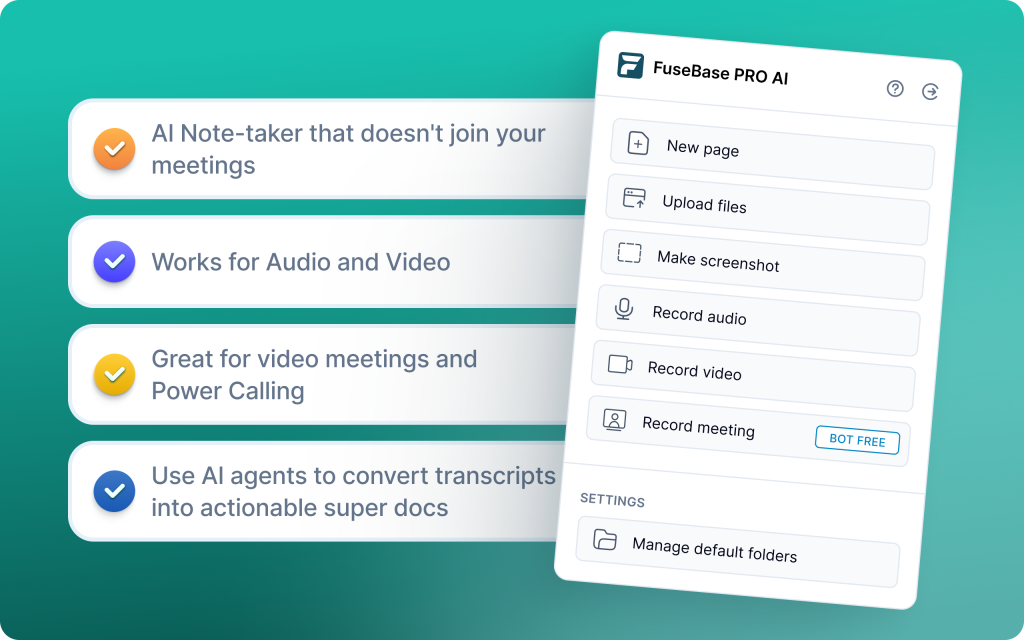
FuseBase matches Krisp’s privacy-first stance with a bot-free browser extension that records Zoom, Teams, and Meet without adding a silent guest. It goes beyond note-taking by turning every call into a shareable mini-room with recap, files, and next steps, then promotes that output into a branded Client Portal when you need to involve customers. AI Agents separate internal risks like scope creep and coaching notes from the safe-to-share client recap and push real follow-ups into your tools. This shifts value from “smarter transcripts” to a Client Delivery Platform that drives alignment, action, and retention. Best for professional services, agencies, and CS teams managing high-value partners who need client-ready outputs and internal control in one place.
Key features
- Bot-free recording via browser extension – no “Silent Guest” in meetings
- Consistent white-label experience across every call
- Smart partition – automatic internal vs client-ready outputs with risk and margin redaction
- AI Agents detect scope creep, create follow-ups, and auto-build tasks in PM/CRM tools
- Client Portals to upgrade any call into a branded room with recordings, files, next steps, and widgets
- Raw recordings are turned into a professional “Deal Room” that has files, next steps, and widgets
Limitations
- Learning curve – moves from “share a link” to managing a portal and workflows
- Not a noise-cancelling tool – pairs with existing audio hygiene if needed
2. Jamie
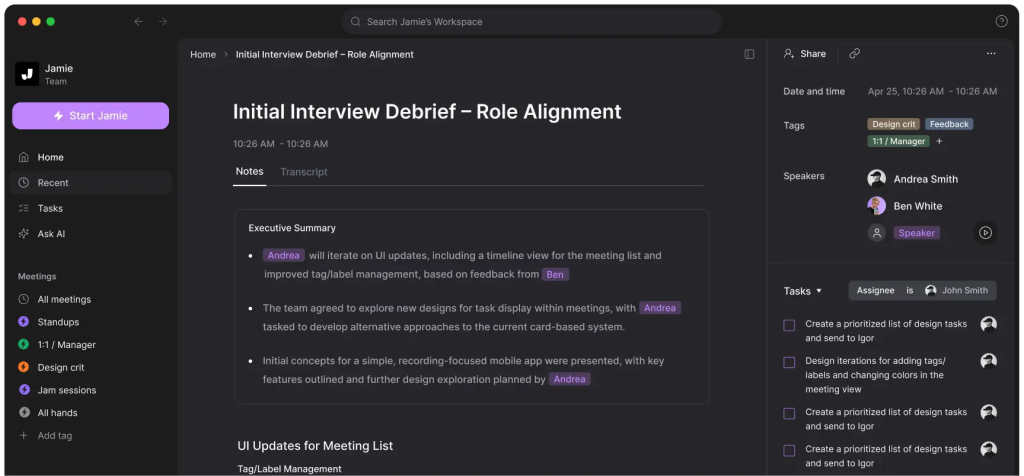
Jamie is a privacy-first, bot-free assistant that runs on your device to capture and summarize meetings across Zoom, Teams, Meet, and in-person sessions. It focuses on fast, multilingual transcription and concise summaries, minimizing friction for distributed teams that need clear action items without a visible meeting bot. Unlike Krisp’s audio hygiene emphasis, Jamie centers on accurate notes in multiple languages and a clean, distraction-free workflow. GDPR-focused and hosted in Europe, it suits teams that value on-device capture, privacy, and simplicity over deep enterprise analytics. If you want unobtrusive, multilingual notes for remote and hybrid work, Jamie is a strong fit.
Key features
- Bot-free, on-device capture for online and in-person meetings
- Multilingual transcription and fast, customizable AI summaries
- Offline recording support for low-connectivity or in-room scenarios
- GDPR-first posture with secure EU hosting for privacy-conscious teams
- Works across major conferencing apps with straightforward setup
Limitations
- Lighter native CRM and ticketing integrations, with fewer analytics than sales-focused tools
- No deal room or client portal – summaries are shared manually and can add coordination steps
3. Utterly
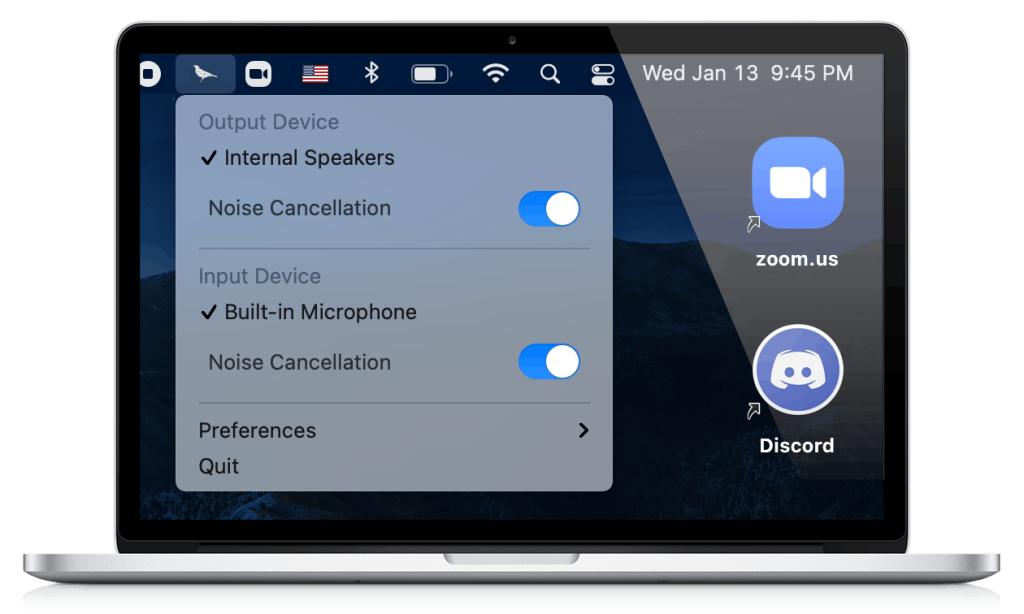
Utterly is a real-time, on-device noise-cancelling plugin for Mac that keeps all audio processing local, so no sound ever leaves your computer. It focuses purely on audio hygiene, using AI filtering to strip out background distractions and constant static like fans or AC across Zoom, Teams, Meet, Discord, and more. Battery-efficient by design, Utterly holds up during long remote meetings, live streams, and webinars without draining your laptop. Compared to Krisp’s broader assistant features, Utterly stays lean and privacy-first, making it a solid pick if your team’s priority is clean, private audio with minimal overhead.
Key features
- 100% local, on-device processing – no audio leaves your Mac
- AI filtering reduces background noise and constant static (fans, AC, hum)
- Works across major conferencing apps (Zoom, Teams, Meet, Discord, etc.)
- Battery efficient for long remote sessions, webinars, and streams
- Simple, privacy-first setup with no bots or cloud dependency
Limitations
- Mac-only; no Windows support
- Slower feature updates compared to VC-backed competitors like Krisp
4. Read.ai
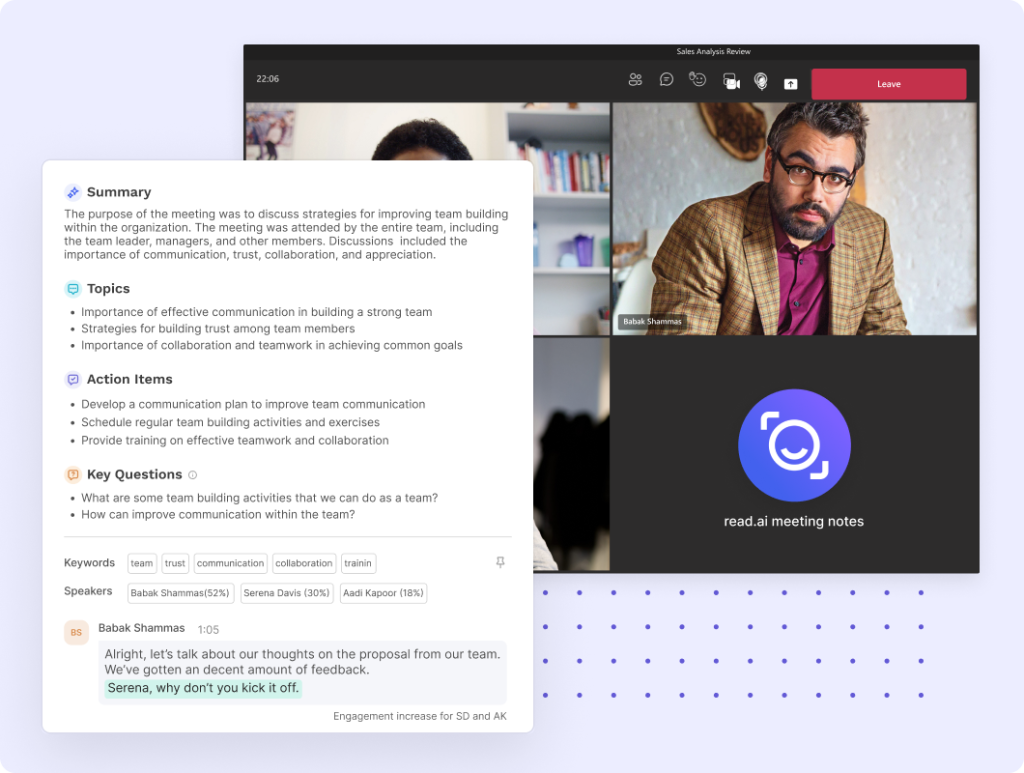
Read.ai is built for remote teams that want more than noise control, offering real-time summaries, engagement metrics, and sentiment tracking across Zoom, Teams, and Google Meet. It analyzes talk time and speaking style with Speaker Coach to deliver actionable feedback during the meeting, not just after. Search Copilot makes knowledge retrieval fast by scanning transcripts, Slack, Teams, Gmail, and Outlook so leaders can find decisions and action items instantly. With Transcription 2.0, Read.ai blends AI summaries with audience reactions for a clearer picture of meeting quality and outcomes. If your priority is live coaching, insights, and cross-platform search, Read.ai is a strong alternative to Krisp’s audio-first focus.
Key features
- Automatic transcripts and instant summaries with sentiment and engagement signals
- Speaker Coach for real-time feedback on clarity, pace, and talk-time balance
- In-meeting metrics and scores displayed inside Zoom and Teams for live adjustments
- Playback with AI-marked highlights for quick review and follow up
- Search Copilot to query meeting transcripts, Slack, Teams, Gmail, and Outlook
Limitations
- Bot can persist or auto-attach to calendars and meetings, even after deactivation
- Free plan is limited and aggressive signup tactics can frustrate team evaluations
5. Bluedot
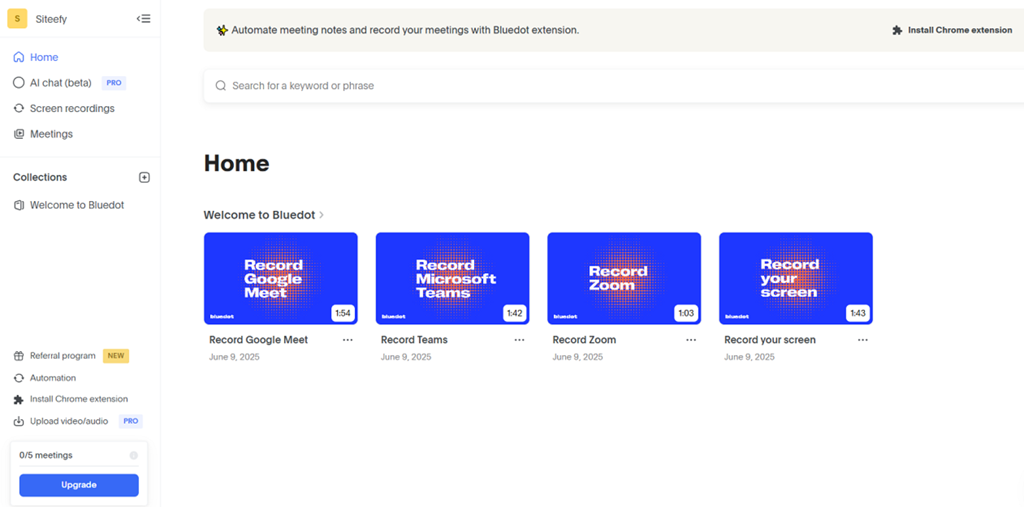
Bluedot is a bot-free, Chrome extension-based meeting assistant that captures in the background and delivers fast, accurate transcription, notes, and light analytics without adding a visible participant. It’s built for sales, client-facing, and project teams that want automation and CRM updates without the overhead of meeting bots or extra apps. Real-time transcription in 100+ languages handles technical jargon well, while AI chat can answer questions about the call and generate instant follow-ups. Bluedot also supports search across transcripts, annotations, and shareable video highlights, and even lets you edit video by editing the transcript. If your team is Google-centric and values privacy, discreteness, and speed, Bluedot is a practical alternative to Krisp’s audio-first focus.
Key features
- Real-time transcription in 100+ languages with strong technical-term accuracy
- Advanced speaker identification plus CRM integrations for sales workflows
- AI chat to query meeting content and generate instant follow-up messages
- Video editing by transcript, with annotations, comments, and shareable highlights
- Search across all transcripts and notes for quick retrieval
Limitations
- Free plan limited to 5 recordings for life
- Basic plan is audio-only with a one-hour limit
6. Granola
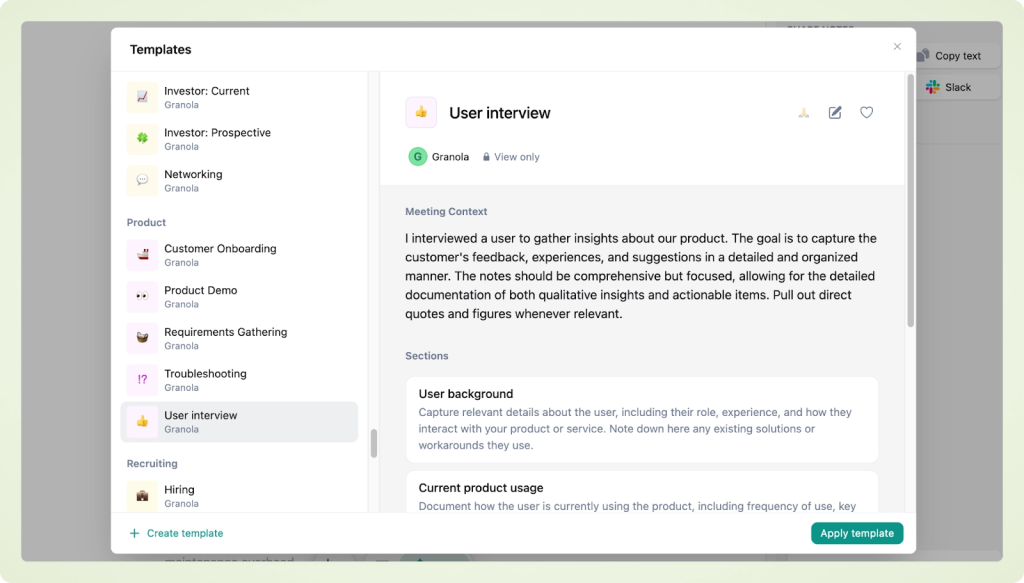
Granola is a lightweight, on-device “AI notepad” that captures system audio locally and turns it into polished notes, action items, and reusable templates. It prioritizes speed and a clear, familiar note-taking UX, making it ideal for individuals and freelancers in back-to-back meetings who want concise summaries without enterprise overhead. Granola says it does not store raw audio and focuses on transcripts and notes, which boosts privacy for many users but can make it harder to revisit slides or visual context later. Speaker identification is limited without participant metadata, so it shines more for personal clarity than team-wide diarization accuracy. If you prefer taking your own notes and want AI to enhance, structure, and extract tasks quickly, Granola is a pragmatic, minimal-friction alternative to Krisp’s audio-first value.
Key features
- Local device audio capture with fast, polished transcript-to-notes output
- Intelligent note enhancement that expands rough notes with missed context
- Custom templates for different meeting types to standardize structure
- Post-meeting assistance: draft follow-up emails and extract action items automatically
- Chat over meeting history to answer questions about past discussions
Limitations
- No video recording and limited speaker identification; harder to revisit slides/visuals since raw audio isn’t stored
- No permanent free tier (trial-based), and cloud AI processing may not fit strict compliance needs
Summary
Remote teams do not just need cleaner calls – they need cleaner outcomes. In 2026, the best Krisp alternatives turn every conversation into clear takeaways, next steps that auto-land in your tools, and early risk signals you can act on. Prioritize bot-free capture, privacy-first processing, and measurable impact on time to first action, missed follow ups, and meeting clarity across time zones.
Choose by job to be done:
- Need bot-free recording with automatic internal vs external splits, client-ready recaps, and a branded portal where AI agents auto-create tasks and flag scope creep – pick FuseBase.
- Need multilingual, bot-free capture online and in-person – pick Jamie.
- Need audio hygiene with zero cloud exposure on Mac – pick Utterly.
- Need invisible, Chrome-first capture with fast notes and CRM updates – pick Bluedot.
- Need fast personal summaries and templates for solo workflows – pick Granola.
- Need coaching and meeting health with live sentiment and talk-time insights – pick Read.ai.
If your remote org outgrows simple capture and needs client-ready recaps, internal-only insights, and automated follow-through, evaluate a delivery-focused platform that splits internal vs external outputs by default. Whatever you select, demand proof in numbers – faster follow-ups, fewer missed commitments, clearer client alignment, and earlier risk flags. That is how remote teams turn meetings into execution, not just transcripts.