Meeting summaries vary wildly in quality: some are surface-level recaps, others capture decisions, context, and the “why” behind next steps. If you’re looking for better accuracy, faster outputs, or more structured notes than MeetGeek provides, you have options. This guide to the best MeetGeek alternatives focuses on tools that produce stronger meeting summaries – plus highlights, action items, searchable transcripts, and shareable outputs your team will actually use. We’ll also call out what each option is best for, so you can match the tool to your workflow instead of forcing your workflow to match the tool.
Summary of Best MeetGeek Alternatives
- FuseBase
Client-meeting first. Clean client-ready recaps plus internal-only risks, tasks, and coaching. Turns transcripts into trackers, follow-ups, and workflows that can live in shared client portals. - Fathom
Fast, accurate summaries with simple highlight sharing. Great for reps and founders who want clean call clips and notes with minimal setup. - Fireflies.ai
Strong across-call search, topic trackers, and 1,000+ integrations. Solid pick if your priority is capturing every meeting and mining themes later. - Otter.ai
Easy for general business use. Good fit for teams that want mainstream transcription and collaborative notes, less so for deep sales/CS workflows. - Avoma
All-in-one meeting lifecycle tool with scheduling, notes, and coaching. Strong for SMB-mid market sales and CS teams that want structured agendas, templates, and post-call insights. - Gong
Enterprise-grade conversation intelligence and pipeline visibility. Best for larger orgs prioritizing revenue intelligence, deal risk surfacing, and scalable coaching. - tl;dv
Lightweight recorder with timestamped highlights and quick share. Favored by product and research teams that live on Zoom/Meet and need fast snippets. - Read.ai
Live meeting analytics (engagement, talk-time, energy) and automated summaries. Useful if you care about real-time performance signals and meeting hygiene. - Supernormal
Polished AI notes with templates and docs-first outputs. Handy for cross-functional teams that want clean write-ups and easy distribution.
What is MeetGeek?
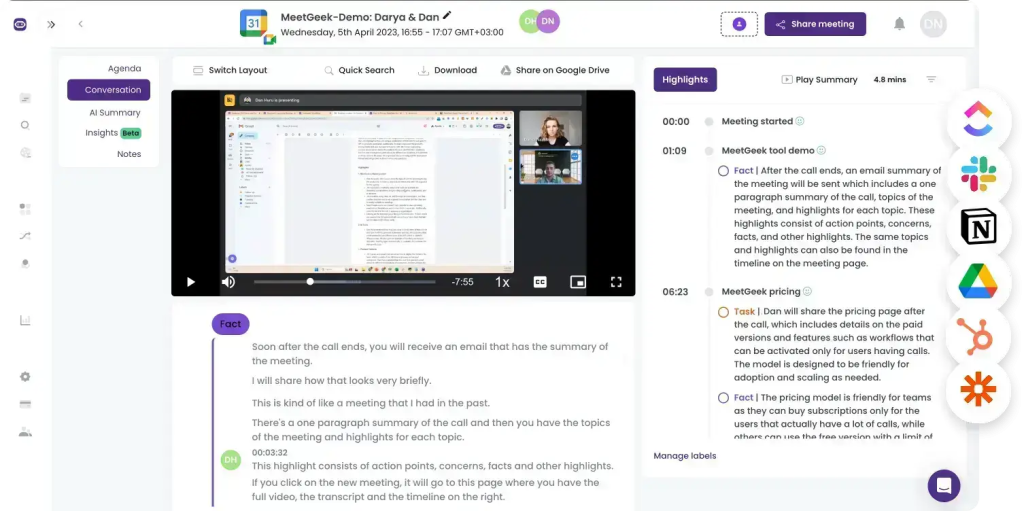
MeetGeek is a highly organized meeting assistant that automates transcription, note-taking, and summaries for both online and offline meetings. It integrates with the tools teams already use – think HubSpot, Slack, Google Calendar, and major CRMs – with thousands of connections, so setup is minimal and workflows stay intact. You can apply custom templates, organize conversations into folders, and capture key points, highlights, and video recordings. It records and transcribes Zoom, Microsoft Teams, and Google Meet in 50 languages, and can also process uploaded audio or video files. In hands-on use, transcription accuracy exceeded 95 percent with a standard laptop mic, and its AI summaries are among the best, breaking calls into crisp tasks, next steps, concerns, facts, and decisions you can edit.
Beyond core notes, MeetGeek shines for collaboration and sales performance. Teams can share snippets, comment on notes, and push recaps to stakeholders. Conversation intelligence provides real-time coaching with talk-time breakdowns, sentiment, participation rates, and other metrics that help refine sales behavior.
Why Teams Are Searching for MeetGeek Alternatives
Teams start searching for MeetGeek alternatives when the tool stops fitting the way they work after the call ends. The most common trigger is inconsistent output: summaries that miss key decisions, action items without clear owners, or transcripts that require too much cleanup to be shareable. For fast-moving teams, even small accuracy gaps create extra admin – someone still has to re-watch recordings, rewrite notes, and chase follow-ups.
Another reason is workflow friction. When integrations feel limited, automation is shallow, or it’s hard to standardize templates across teams, companies start exploring options that better match their stack and processes.
Privacy and meeting culture also matter. Some teams prefer bot-free recording, stricter controls over who can access transcripts, or better redaction and compliance features. Others simply need more collaboration – shared workspaces, searchable knowledge, and cross-meeting insights – so meeting notes become an asset instead of scattered documents. Finally, cost becomes a factor as usage scales: what’s fine for a few users can get expensive when the whole organization needs reliable summaries and follow-through.
Top 9 MeetGeek Alternatives
1. FuseBase
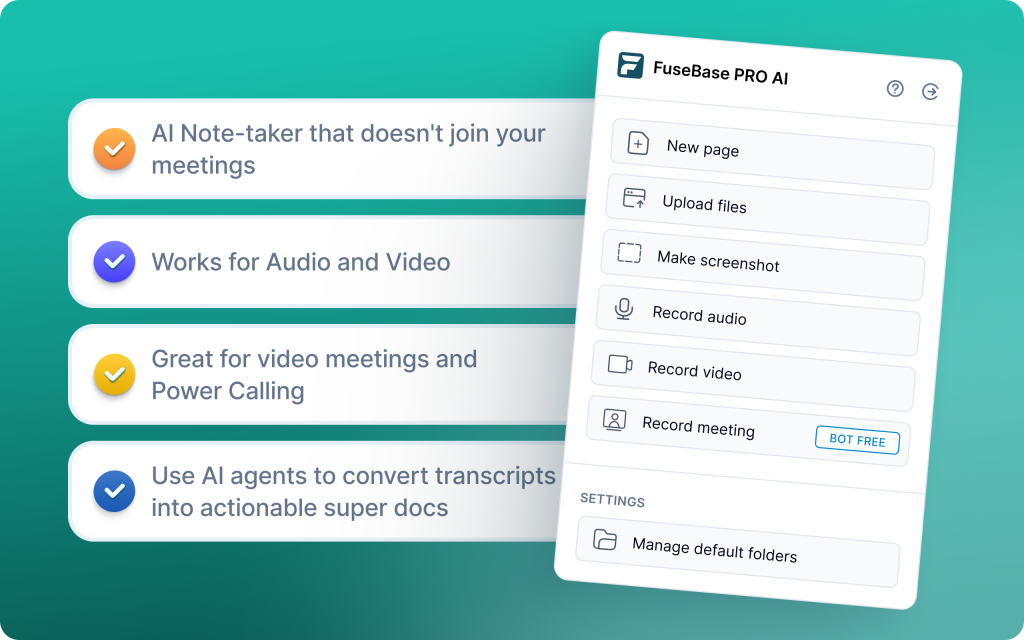
FuseBase is a bot-free AI meeting recorder and workspace that turns every Zoom, Teams, or Meet call into a shareable mini-room with recap, files, decisions, and next steps. Instead of sending a naked transcript link, you share a branded, client-ready space. AI agents watch calls for risk, opportunities, and follow-ups, then create real tasks, trackers, and automations across your tools. It is not just notes. It is a client delivery platform that separates safe-to-share summaries from internal coaching and risk.
Key features:
- Branded, white-label links under your domain for a premium client experience
- Consistent structure across discovery, QBRs, onboarding, and renewals
- Deeper CI with trackers for real business signals like scope creep, no next meeting, or renewal risk
- AI agents that auto-create tasks, populate trackers, and trigger follow-ups
- Bot-free recording plus personal notes, audio notes, and Loom-style async videos
- Unified workspace that partitions client-facing recaps from internal-only insights
- Custom-branded client portals to house recordings, files, and ongoing workflows
Best for:
Professional services, agencies, and CS teams that need client-ready rooms with branded recaps plus internal-only risk and coaching, and want AI agents to turn every call into real follow-ups and workflows.
2. Fathom
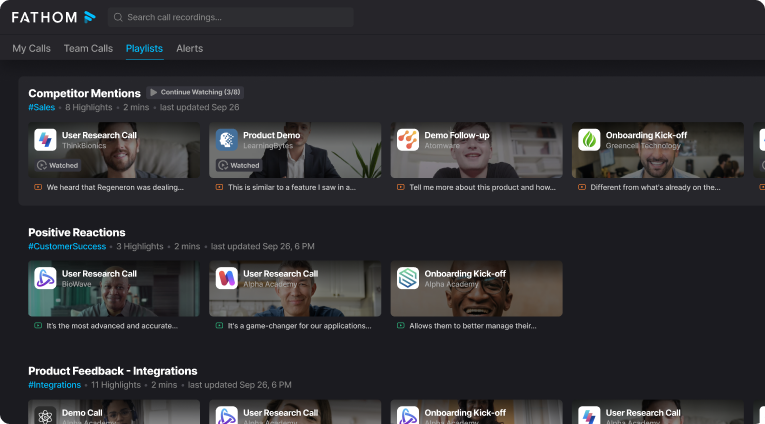
Fathom records, transcribes, and summarizes meetings across Zoom, Google Meet, and Microsoft Teams. Originally Zoom-first, it has expanded as Zoom launched its own AI, and today it shines for real-time transcription and quick highlight workflows. It is excellent for individuals with a generous free plan, but it does not offer sales coaching or multi-meeting intelligence, so managers and revenue teams may hit limits.
Key features:
- Real-time transcription across Zoom, Google Meet, and Microsoft Teams
- Mid-call highlights with 1-click AI summaries you can share immediately
- Instant clips and downloads for fast post-call distribution
- Direct integrations with Google Docs, Notion, and Asana for organized handoff
- Free plan with unlimited recordings and storage for individuals
- Team-wide searchable transcripts and collaboration on paid tiers
Best for:
Individuals and small teams who want free, unlimited recording and fast highlight sharing without needing sales coaching or multi-meeting intelligence.
3. Fireflies.ai
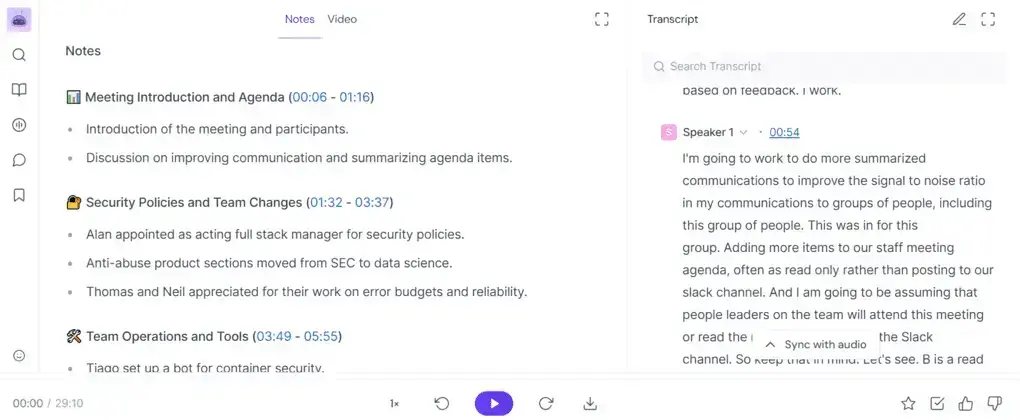
Fireflies is an AI note-taking and meeting organization platform used by brands like Netflix, Uber, Nike, and Expedia. It records, transcribes, and summarizes meetings with video recording built in, then turns your calls into a searchable knowledge hub. Its standout is review speed: powerful search and topic filters let you skim a 1-hour call in minutes. It integrates with popular CRMs and collaboration tools to automate follow-ups. Caveats: sentiment analysis raises EU AI Act concerns, language must be selected in advance for multilingual calls, and the bot-style join plus dense UI can feel heavy for teams wanting something simpler.
Key features:
- AI super summaries with action items, next steps, topic-wise notes, and keyword tracking
- Smart search and filters to jump to questions, metrics, dates, and keywords across meetings
- CRM and workflow integrations to sync notes and automate handoffs
- AskFred assistant to answer questions, build agendas, and draft follow-ups
- Video recording plus multilingual transcription with speaker ID; manual language selection required
Best for:
Customer-facing teams that want affordable recording, fast search-driven review, and CRM-integrated summaries, and who are not constrained by EU sentiment-analysis compliance.
4. Otter.ai
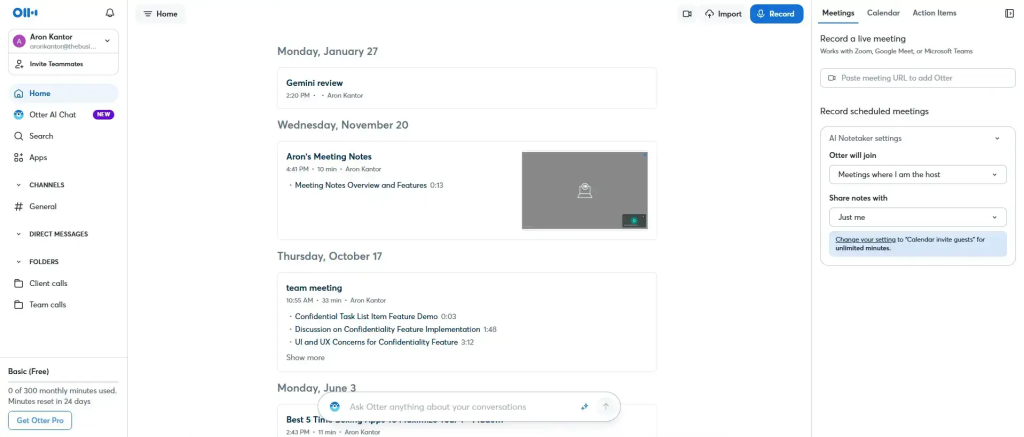
Otter is a transcription-first tool that captures audio and delivers real-time notes for Zoom, Google Meet, and Microsoft Teams. It is popular with journalists, media teams, and universities thanks to fast live transcriptions, easy sharing, and a clean archive. Limitations to note: video capture is Enterprise only, and transcription languages are limited to English, French, and Spanish, which can be restrictive for global or multilingual teams.
Key features
- Real-time transcription with speaker ID, timestamps, and live editing
- Automated meeting summaries with takeaways, action items, and highlights
- Collaborative workspace to comment, tag, and assign items on transcripts
- Slide capture that syncs shared slides with the transcript for context
- Cross-device access on web, desktop, and mobile with reliable syncing
- Powerful search and Otter AI chat to find answers and generate follow-ups
Best for:
Teams that want fast, accurate live transcription and shareable notes, especially in English, French, or Spanish, without needing deep sales coaching or video capture on non-Enterprise plans.
5. Avoma
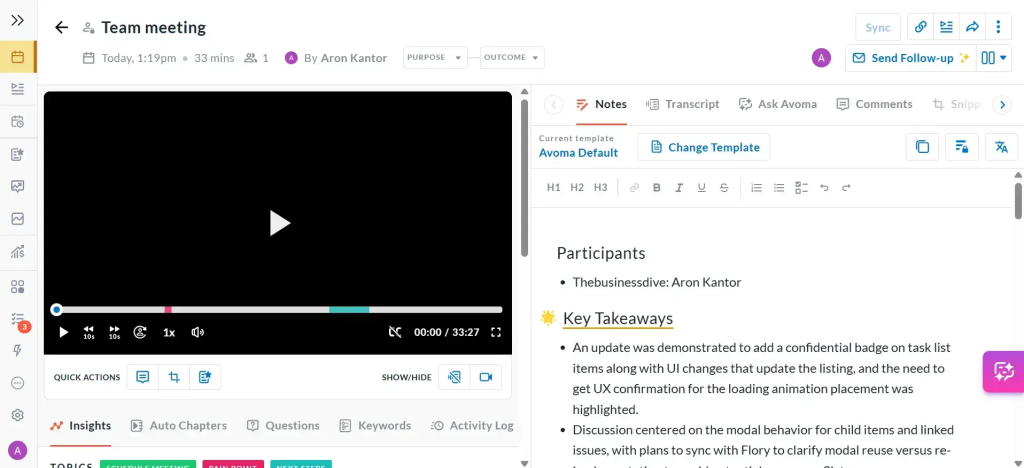
Avoma is a meeting lifecycle platform that automates note-taking, real-time transcription, and conversation analysis so teams can focus on the discussion. It streamlines prep with agenda templates, captures key moments live, and delivers AI notes plus coaching insights after the call. Revenue teams use Avoma to surface deal risks, coaching opportunities, and action items across sales, CS, and onboarding.
Key features:
- Real-time transcription and AI-generated notes to capture insights instantly
- Conversation intelligence with talk-time breakdowns, objection handling, and sentiment cues
- Pre-meeting agenda templates to standardize discovery and QBR prep
- Post-call coaching tools for managers to review, comment, and highlight improvements
- End-to-end workflow support from agenda to summary in one continuous flow
Best for:
Sales and customer success teams that want end-to-end meeting workflows with built-in coaching and deal intelligence.
6. Gong
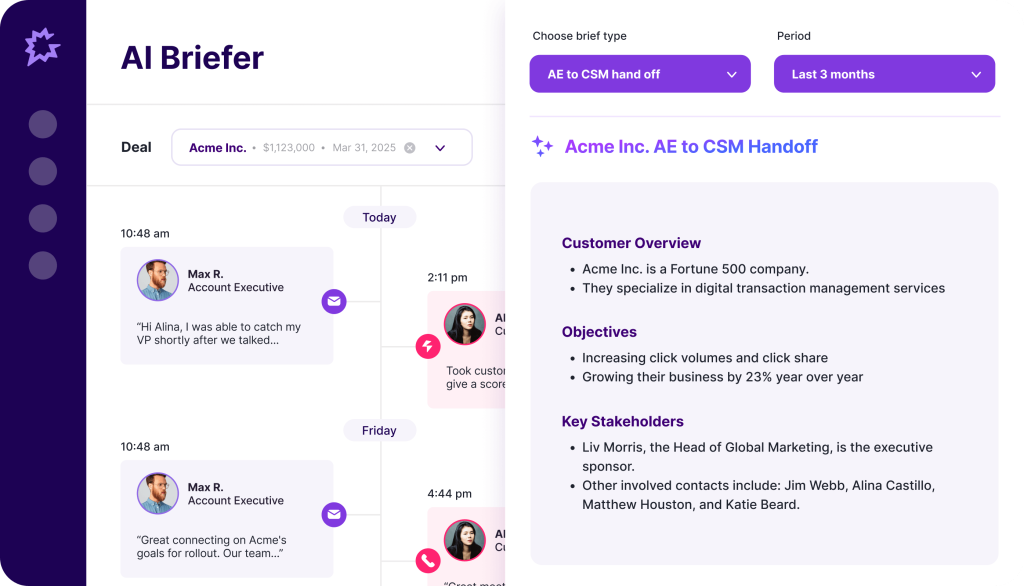
Gong is a revenue intelligence platform built for sales teams. It goes beyond transcription to analyze customer conversations, surface deal risks, and forecast pipeline health. By unifying call analytics with CRM context, Gong gives managers visibility into what drives wins, flags where deals stall, and generates AI summaries and follow-ups to keep momentum.
Key features:
- Conversation intelligence that records, transcribes, and analyzes calls for sentiment and product interest
- Deal intelligence with AI risk alerts, next-step gaps, and multithreading visibility
- Pipeline management with clear deal views and automated, AI-driven forecasts
- AI summaries and follow-ups after calls to speed handoffs and execution
- Deep integrations with Salesforce, Zoom, Google Meet, and core sales tools
- Coaching tools for managers with talk-time insights, scorecards, and trend tracking across meetings
Best for:
Sales-led organizations that need enterprise-grade analytics, deal risk surfacing, and AI-driven forecasting beyond basic note-taking.
7. tl;dv
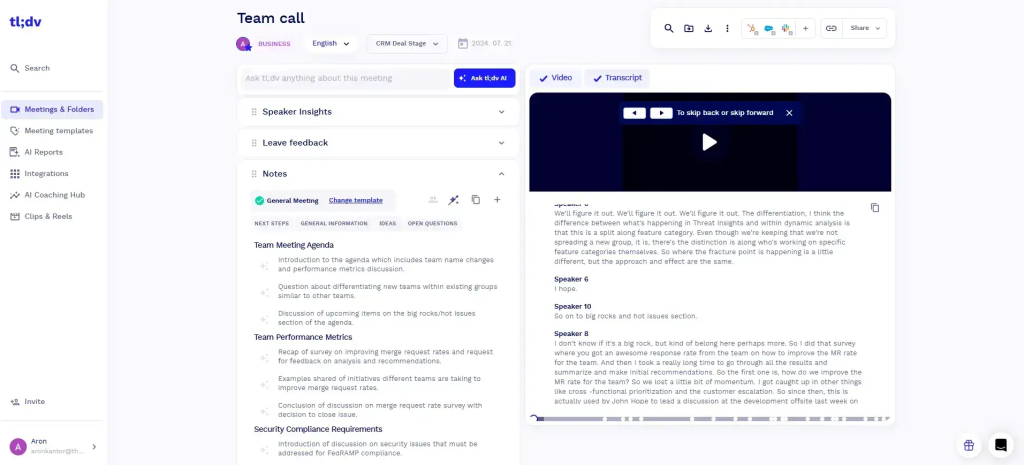
tl;dv is an AI-powered meeting recorder for Google Meet, Microsoft Teams, and Zoom that delivers automatic, real-time transcription with strong accuracy. It excels at fast capture and share: create timestamped highlights, clip key moments, and generate AI summaries so everyone knows what happened and what to do next. Popular with workshop facilitators and product teams, it helps analyze themes across discussions and tailor future sessions.
Key features:
- Real-time recording and transcription across Zoom, Google Meet, and Microsoft Teams
- Transcription in 30+ languages with timestamped highlights for quick reference
- AI-generated post-call summaries to align on next steps
- Shareable clips from high-quality recordings for fast context handoff
- Chrome extension and Zoom integration that streamline capture and sharing
- Generous free plan; Pro unlocks workflow automation via integrations
Best for:
Teams and facilitators who want fast, multi-language recording and shareable highlights with a strong free plan and lightweight workflow automation.
8. Read.ai
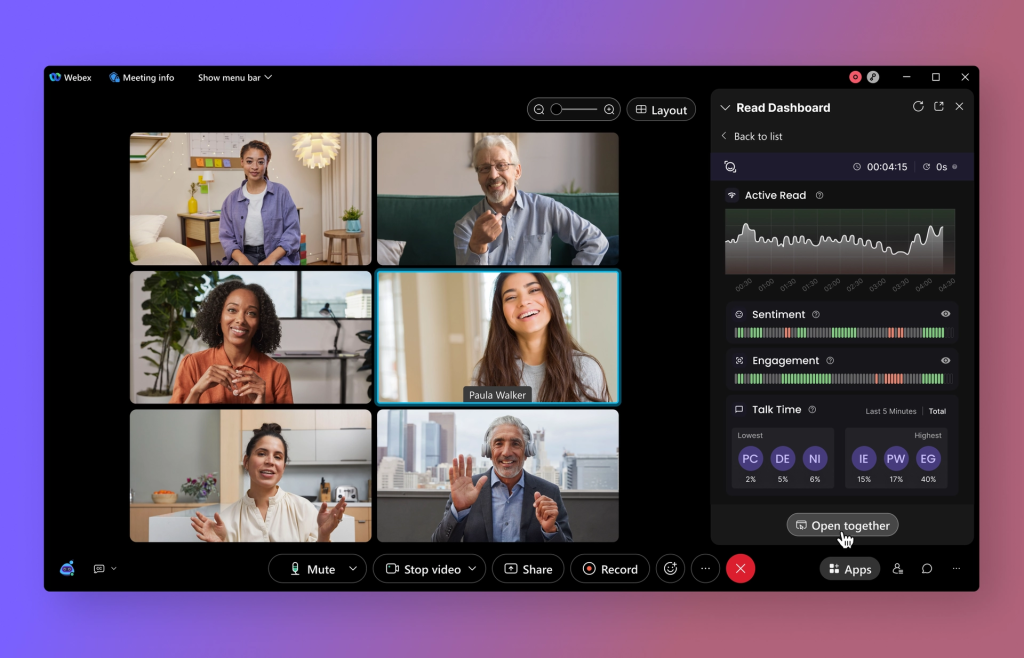
Read.ai focuses on automatic note-taking, smart summarization, and real-time collaboration with a strong tilt toward engagement analytics and coaching. Its Transcription 2.0 layers sentiment and audience reactions onto the transcript, while AI summaries and a Search Copilot make past content easy to find and reuse. Teams get live feedback, searchable notes, and cross-platform summaries, with a free tier to try it quickly.
Key features:
- Transcription 2.0 with sentiment and audience reactions embedded in the transcript
- AI meeting summaries with highlights, decisions, and follow-ups
- Speaker coaching on clarity, talk time, filler words, and engagement
- Real-time engagement metrics and feedback during meetings
- Search Copilot to query across transcripts, email, chat, and docs in natural language
Best for:
Teams that want real-time engagement insights, speaker coaching, and searchable AI summaries across meetings and comms.
9. Supernormal
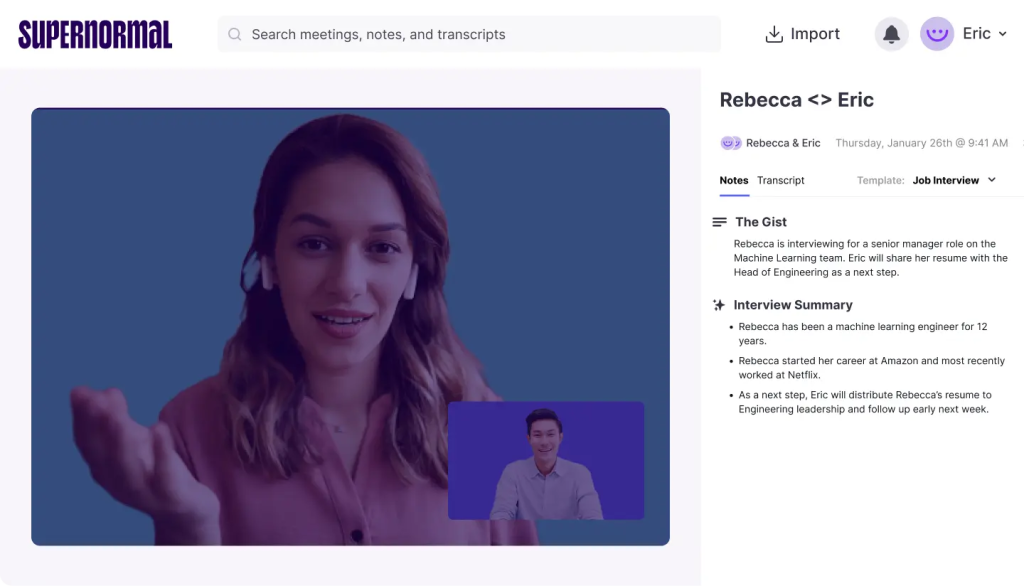
Supernormal is a documentation-first meeting assistant for Zoom and Google Meet that creates structured recaps with decisions, actions, and owners in real time. It leans on templates and AI automation to standardize notes across meeting types, then syncs everything into your existing tools so teams can act immediately without post-call cleanup.
Key features:
- Real-time summaries with agendas, recaps, action items, and owners
- Template-based note generation for consistent, decision-focused docs
- Automatic action item detection and assignment to keep work moving
- Decision tracking and outcome documentation for clear accountability
- 60+ language support for global teams
Best for:
Remote and cross-functional teams that need fast, standardized meeting documentation with automatic actions and deep integrations.
Choosing the Best MeetGeek Alternative
When choosing the best MeetGeek alternative, get clear on how the output will actually be used. Are you sharing recaps with clients, partners, or leadership – or are notes strictly internal? Do you need white-label, branded spaces hosted under your own domain to keep everything client-ready? And when the meeting ends, what’s the expected “next step” behavior: should the AI create tasks, trackers, and follow-ups inside your existing tools, or is a simple transcript link and summary sufficient?
It’s also worth defining whether you’re looking for more than documentation. Some teams need coaching signals, deal insights, and pipeline forecasting, while others just want accurate summaries and action items. If you operate in regulated environments, confirm whether there are compliance constraints around sentiment analysis, call recording, or data residency requirements. Finally, be practical about rollout: which languages and meeting platforms must work flawlessly from day one, without workarounds or extra setup.
Bottom line: If you primarily need personal capture or lightweight team notes, pick a recorder-first tool and keep it simple. But if your work is client-facing and outcomes hinge on what happens after the call, FuseBase wins on mini-rooms, branding, internal vs external split, and agents that convert insights into action.